> ## Documentation Index
> Fetch the complete documentation index at: https://docs.getayna.com/llms.txt
> Use this file to discover all available pages before exploring further.
# Using Ayna Studio
> This section walks you through uploading garments and generating photoshoots on Ayna — from supported file formats, to choosing the right garment category, to running your first generation.
## Basic Upload Guidelines
These are some upload guidelines that need to be followed for every image, otherwise Ayna might not process your input image:
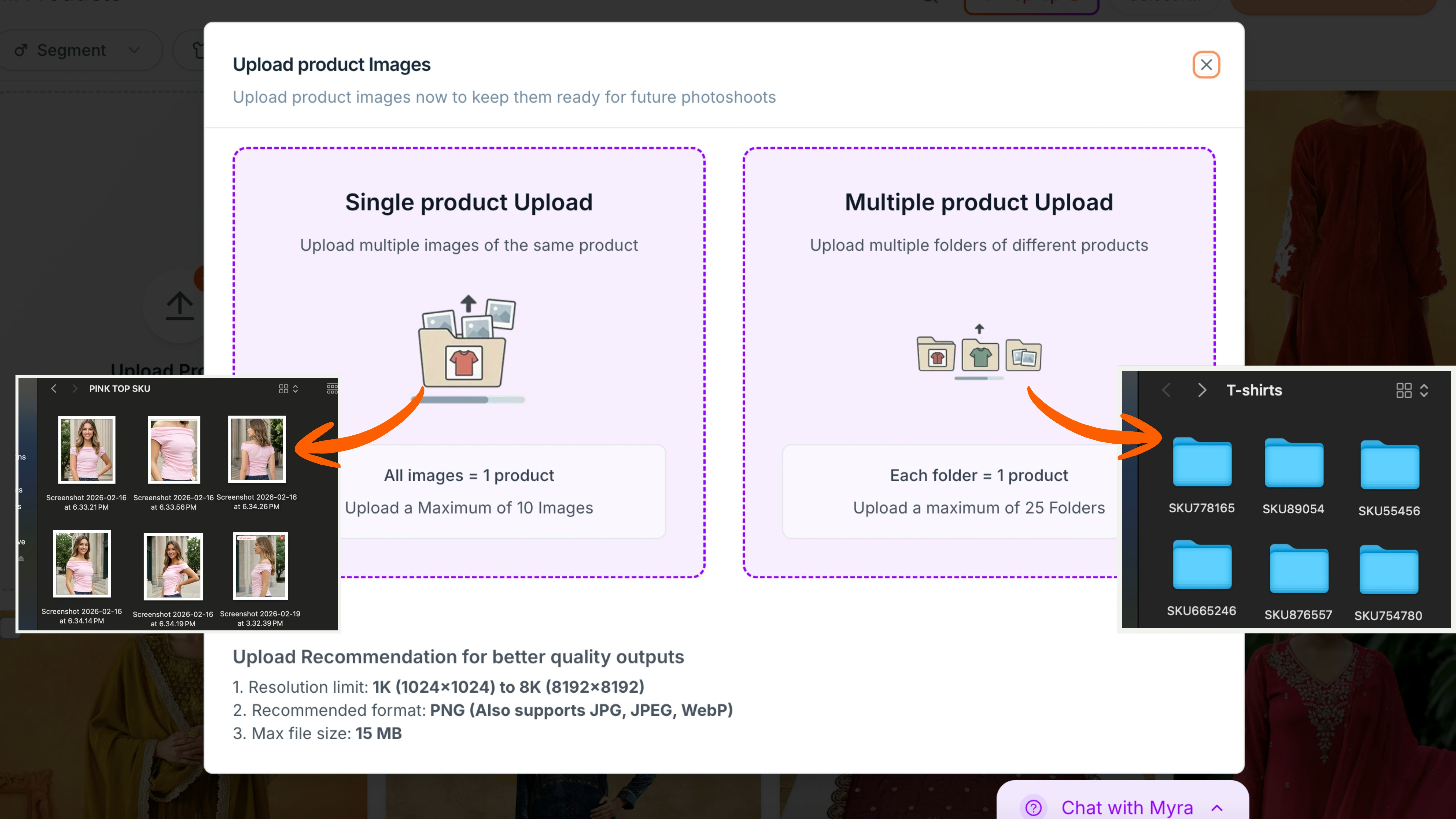
* Recommended resolution: **1K (1024 x 1024) to 8K (8192 x 8192)**
* Maximum file size: **15 MB per image**
* Best format: **PNG**
* Also supported: **JPG, JPEG, and WEBP**
## Single or Bulk Uploading
1. **Single Product Upload:** Upload one product at a time by dragging and dropping multiple images of the same garment (up to 10 images per product).
2. **Multiple Product Upload:** You can upload multiple folders of garments where each folder contains images of one product, grouped under the same garment category.
 ## Garment Categories and Examples
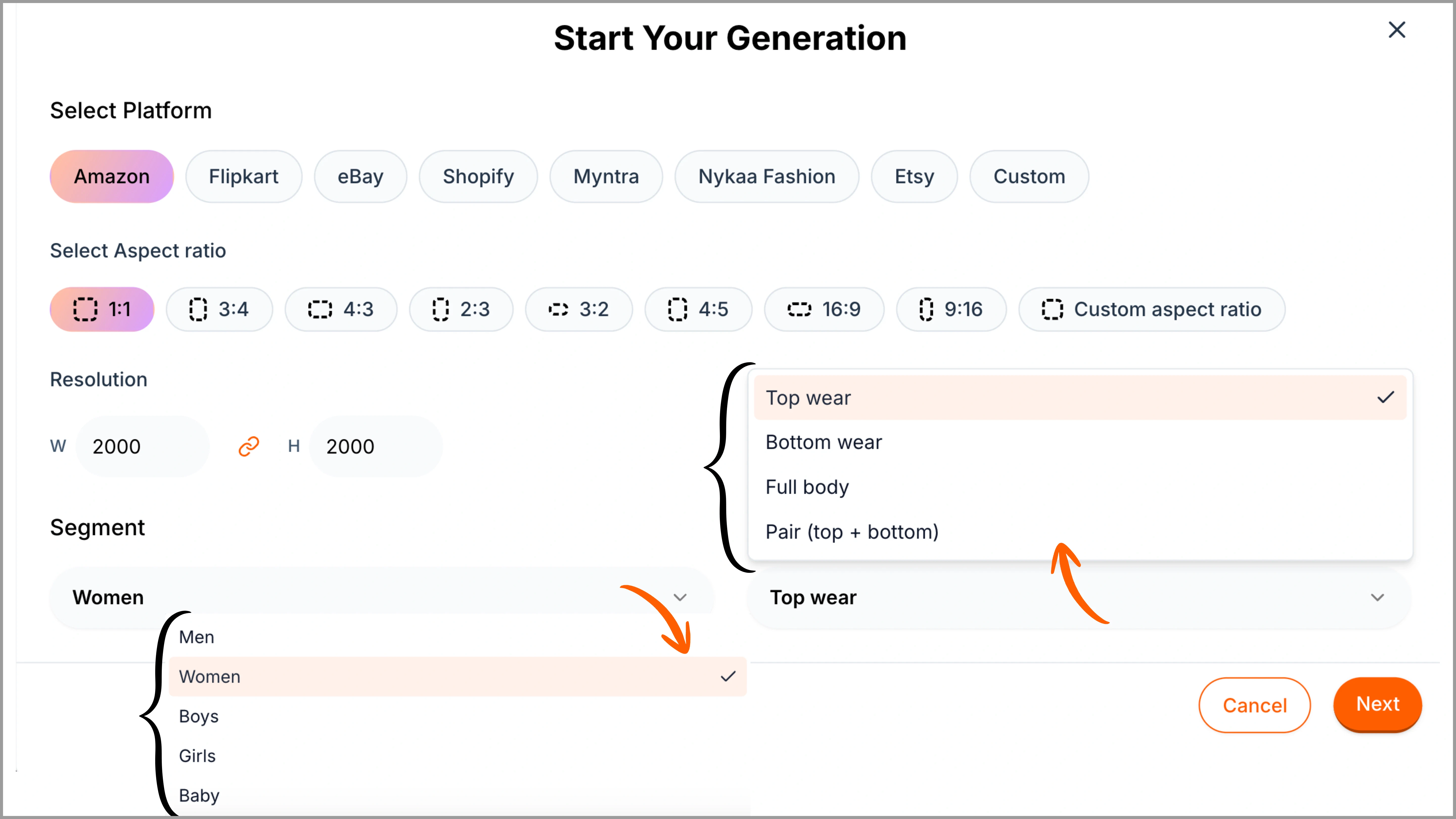
Once you click on **Start a Photoshoot**, you can select the segment — Men, Women, Boys, Girls, or Baby. Ayna has 4 main garment categories: **Top Wear, Bottom Wear, Full Body,** or **Top + Bottom (Set)**.
Each category is designed to match the garment structure correctly. Here's what each option includes and when to select it.
## Garment Categories and Examples
Once you click on **Start a Photoshoot**, you can select the segment — Men, Women, Boys, Girls, or Baby. Ayna has 4 main garment categories: **Top Wear, Bottom Wear, Full Body,** or **Top + Bottom (Set)**.
Each category is designed to match the garment structure correctly. Here's what each option includes and when to select it.
 ### Top Wear
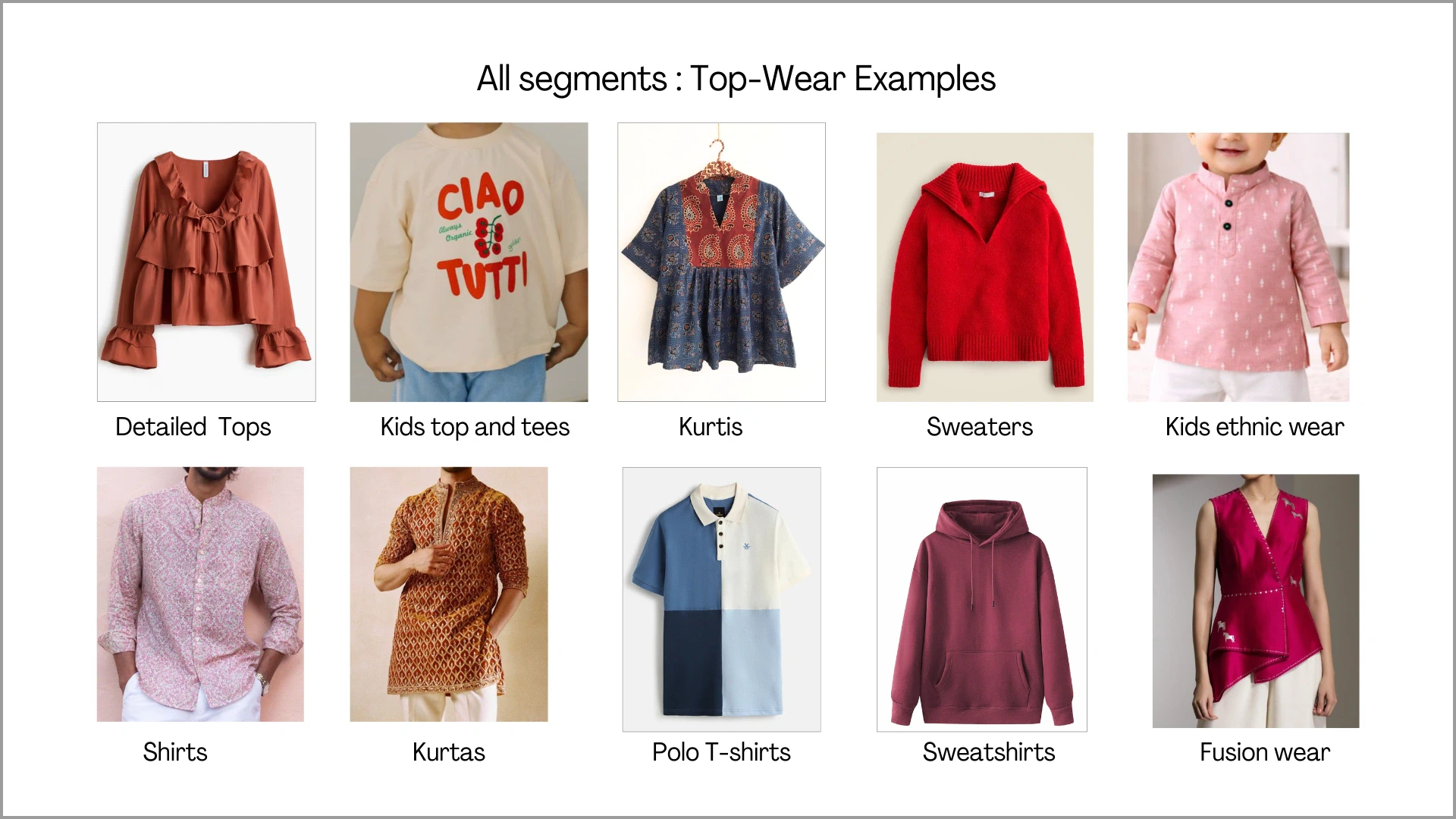
After selecting the segment (Men, Women, Boys, Girls, or Baby), choose **Top Wear** for garments such as Tops, T-shirts, Shirts, Kurtis, Sweatshirts, and similar upper-body styles.
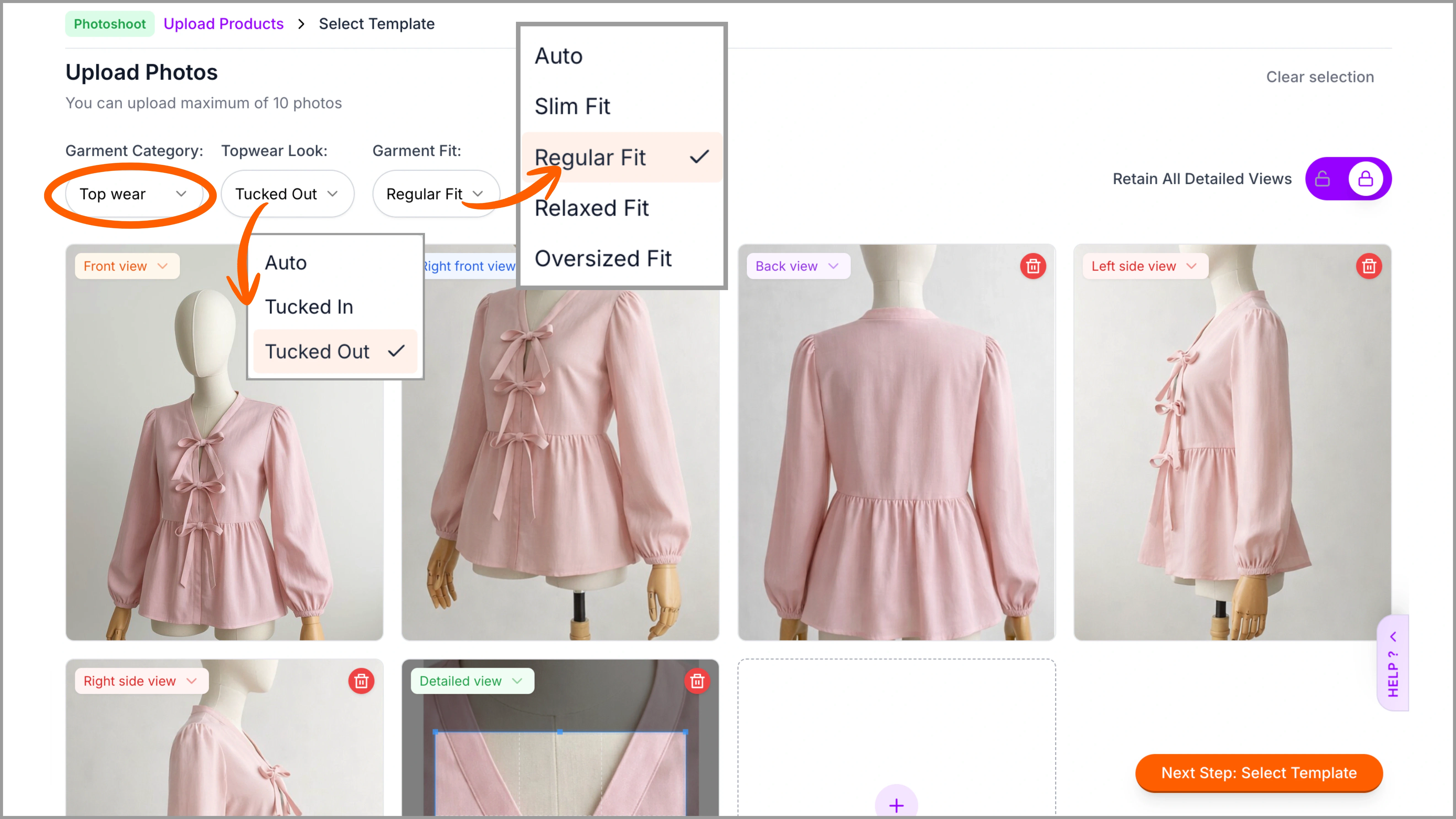
This category is suitable for any garment worn only on the upper half of the body. Bottoms and accessories can be later chosen from Ayna's style library. Before uploading the images, make sure to select **'Top Wear'** and choose fit styles after uploading the images.
Top wear supports flat-lay, hanger shots, mannequin, and model shots. However, if the garment has **heavy detailing**, it is recommended to upload mannequin or model images with side views for better structural clarity.
### Top Wear
After selecting the segment (Men, Women, Boys, Girls, or Baby), choose **Top Wear** for garments such as Tops, T-shirts, Shirts, Kurtis, Sweatshirts, and similar upper-body styles.
This category is suitable for any garment worn only on the upper half of the body. Bottoms and accessories can be later chosen from Ayna's style library. Before uploading the images, make sure to select **'Top Wear'** and choose fit styles after uploading the images.
Top wear supports flat-lay, hanger shots, mannequin, and model shots. However, if the garment has **heavy detailing**, it is recommended to upload mannequin or model images with side views for better structural clarity.
 ### Bottom Wear
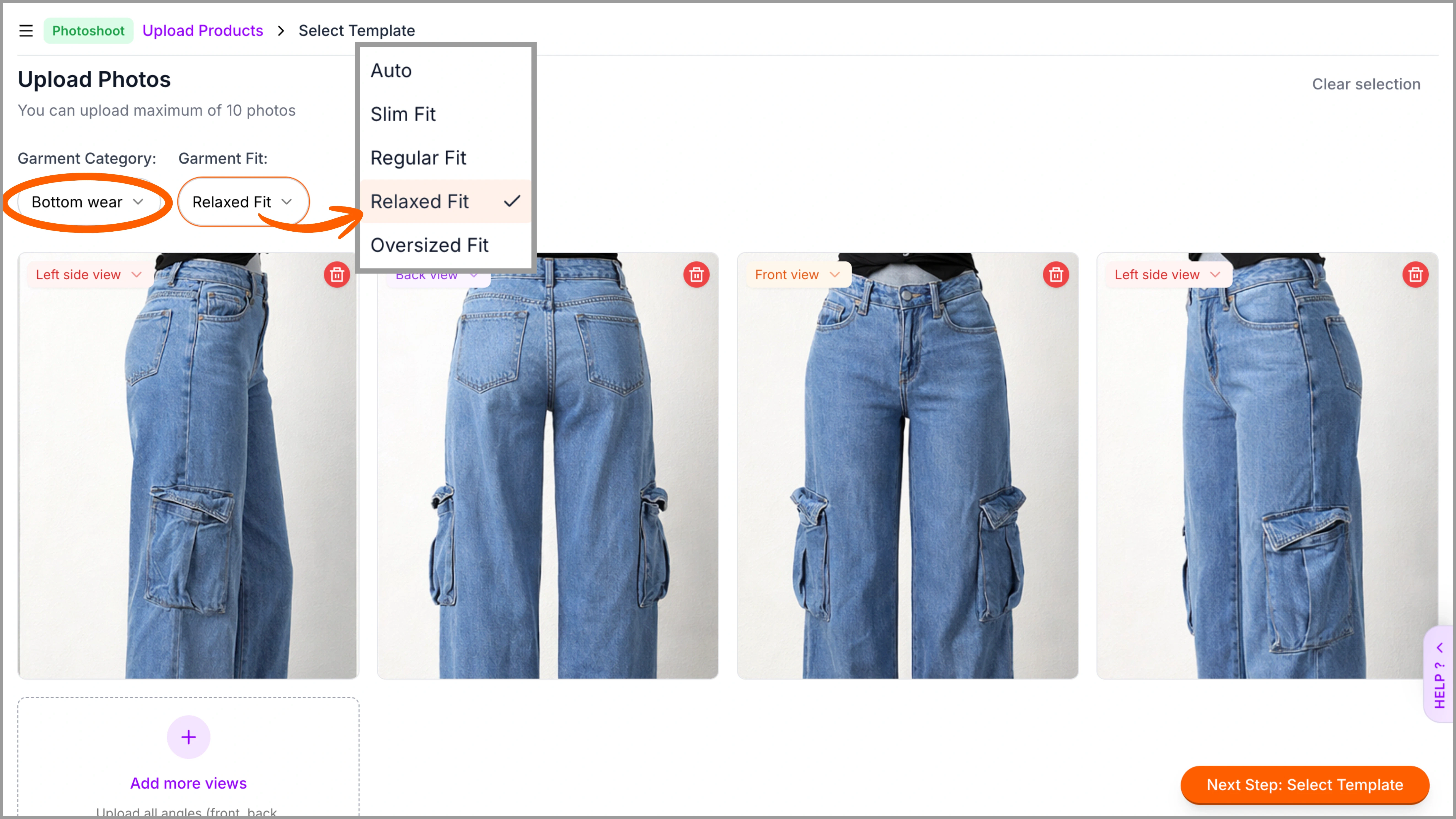
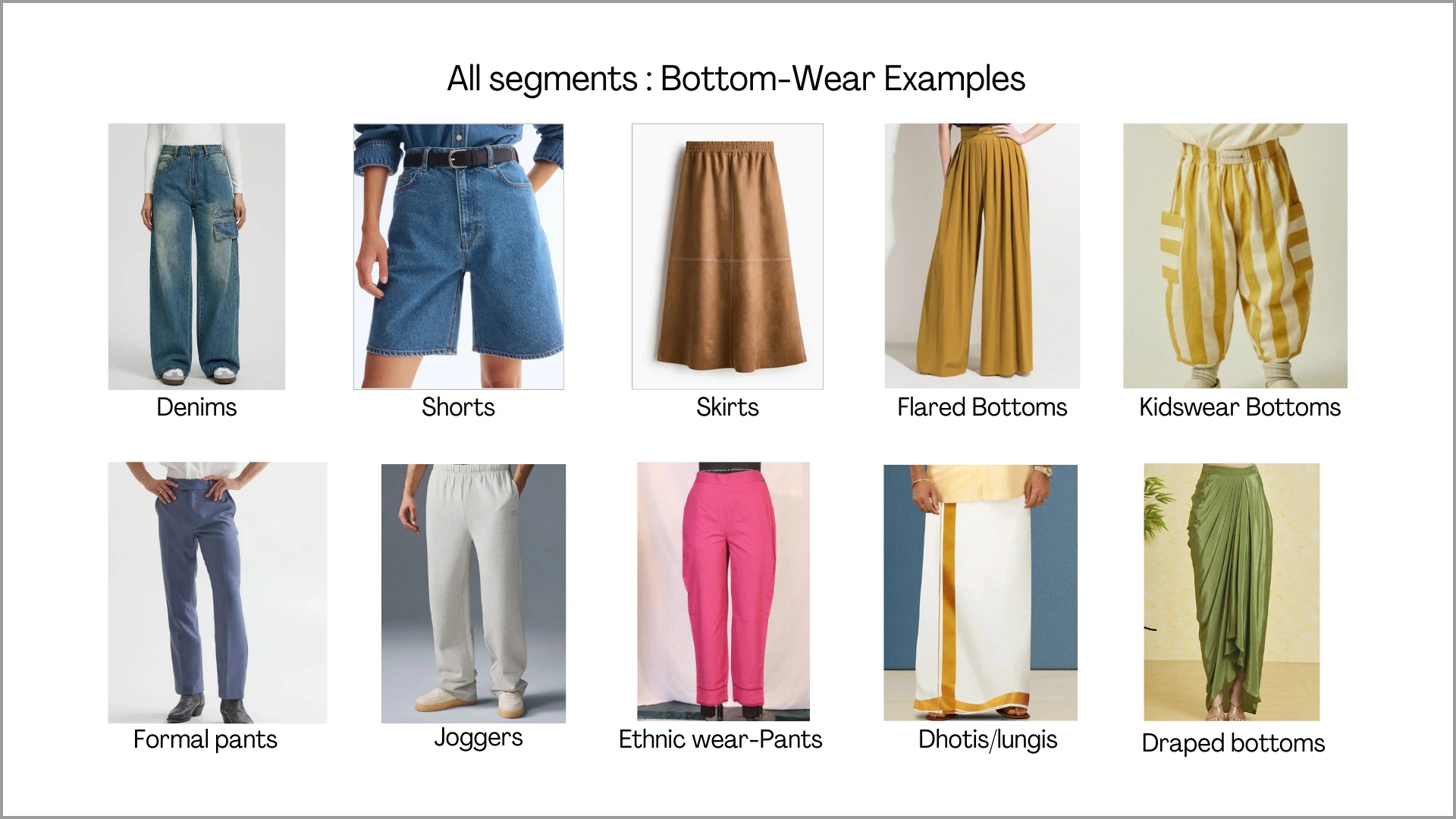
Choose **Bottom Wear** for garments such as Pants, Denims, Cargos, Skirts, Shorts, Dhotis, and similar lower-body styles. This category is suitable for any garment worn only on the lower half of the body. Top-wear and accessories can be later selected from Ayna's style library. Before uploading the images, make sure to select **'Bottom Wear'** and choose fit styles after uploading the images.
Bottom wear works well with flat-lay and mannequin formats. For garments with side pockets, cargo panels, flaps, or utility details, include **side-angle views or upload on mannequin/model** to capture full structure.
### Bottom Wear
Choose **Bottom Wear** for garments such as Pants, Denims, Cargos, Skirts, Shorts, Dhotis, and similar lower-body styles. This category is suitable for any garment worn only on the lower half of the body. Top-wear and accessories can be later selected from Ayna's style library. Before uploading the images, make sure to select **'Bottom Wear'** and choose fit styles after uploading the images.
Bottom wear works well with flat-lay and mannequin formats. For garments with side pockets, cargo panels, flaps, or utility details, include **side-angle views or upload on mannequin/model** to capture full structure.
 ### Full Body
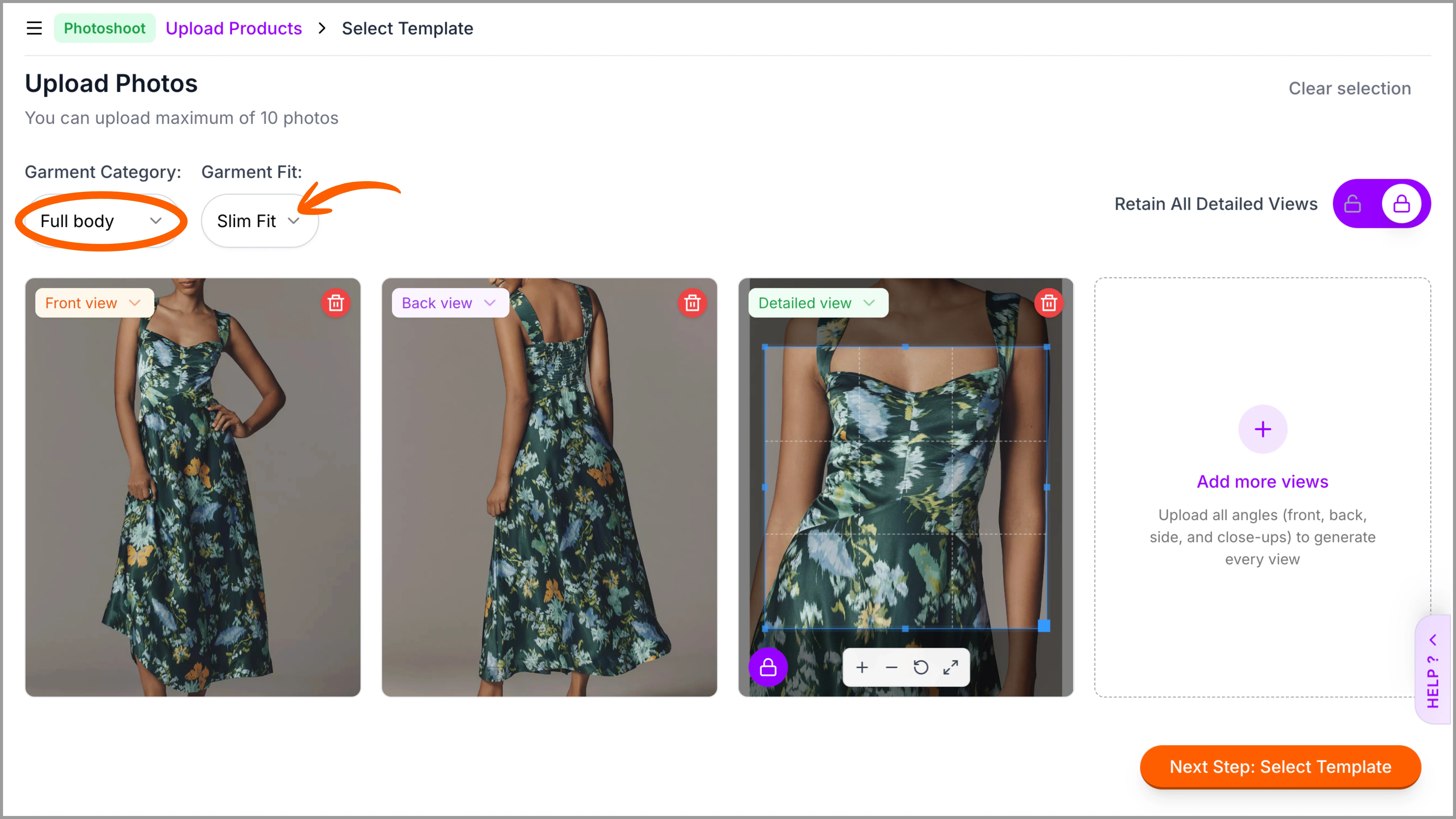
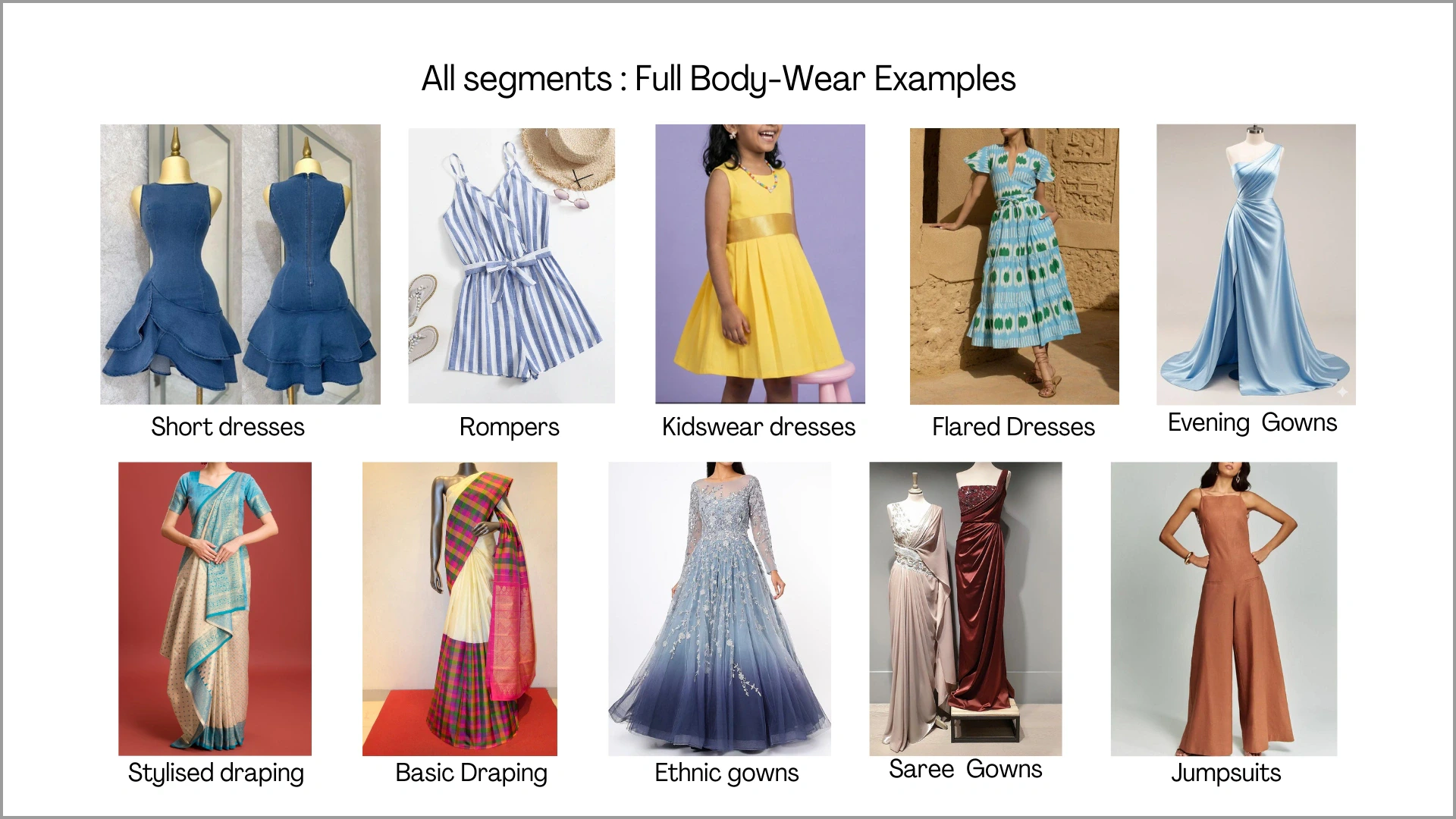
Choose **Full Body** for garments such as sarees, dresses, long gowns, jumpsuits, or even coordinated 3-piece sets. This category is suitable for outfits that cover both the upper and lower body as a complete look. Before uploading the images, make sure to select **'Full Body'** and choose fit styles after uploading the images.
Full-body garments like sarees, gowns, and dresses require clear silhouette visibility. For draped or flowy styles, **mannequin or model shots** are recommended to properly capture fall, pleats, and structure.
### Full Body
Choose **Full Body** for garments such as sarees, dresses, long gowns, jumpsuits, or even coordinated 3-piece sets. This category is suitable for outfits that cover both the upper and lower body as a complete look. Before uploading the images, make sure to select **'Full Body'** and choose fit styles after uploading the images.
Full-body garments like sarees, gowns, and dresses require clear silhouette visibility. For draped or flowy styles, **mannequin or model shots** are recommended to properly capture fall, pleats, and structure.
 ### Pair (Top + Bottom)
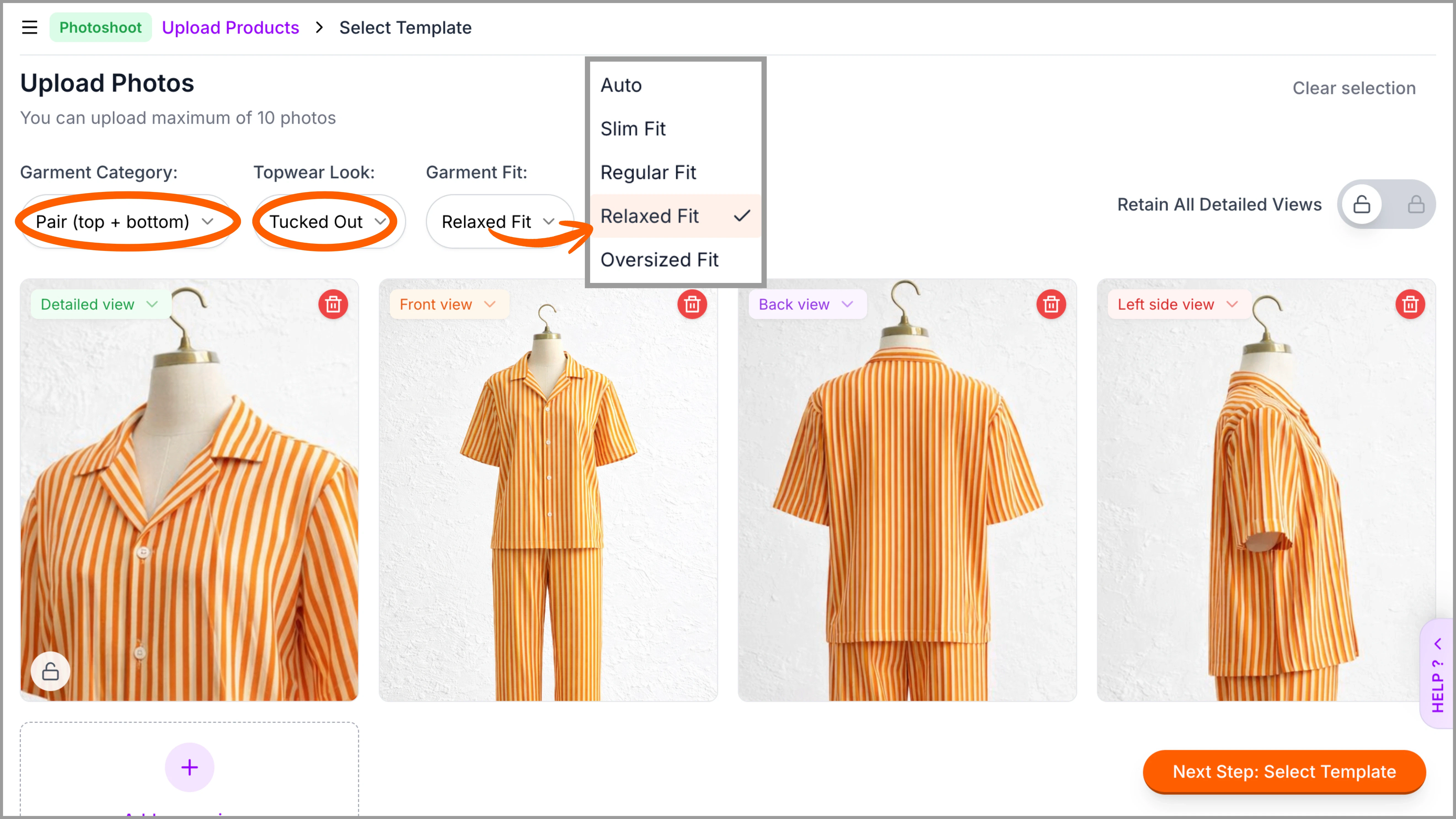
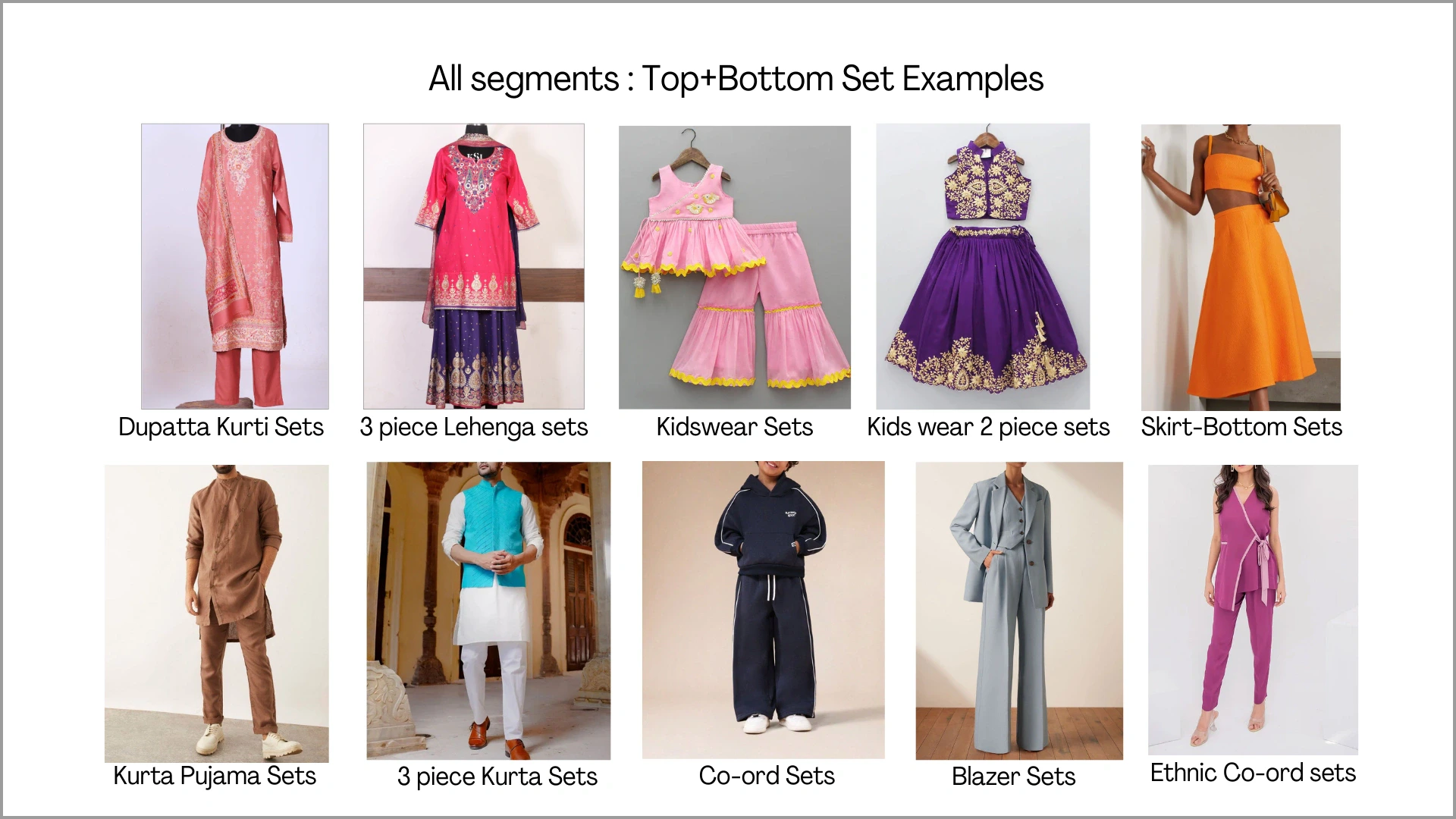
Choose **Top + Bottom (Set)** for coordinated outfits such as co-ord sets, kurti with pants, tracksuits, or any matching top-and-bottom combination uploaded together. This category is suitable when both pieces are intended to be generated as a complete set.
Top-Bottom should be uploaded together in one frame. Ensure both pieces are clearly visible and not overlapping. For detailed sets, **mannequin or model** shots are preferred. **Hanger images** also work well for structured sets.
### Pair (Top + Bottom)
Choose **Top + Bottom (Set)** for coordinated outfits such as co-ord sets, kurti with pants, tracksuits, or any matching top-and-bottom combination uploaded together. This category is suitable when both pieces are intended to be generated as a complete set.
Top-Bottom should be uploaded together in one frame. Ensure both pieces are clearly visible and not overlapping. For detailed sets, **mannequin or model** shots are preferred. **Hanger images** also work well for structured sets.
 ## How to Use Ayna Studio
After uploading your images, you can generate new photoshoots or refresh your existing catalogue with ease using Ayna Studio. Ayna allows you to upload garments, change backgrounds, apply themes and templates, and create multiple pose and styling variations in just a few clicks. Watch a quick walkthrough [here](https://www.youtube.com/watch?v=oXKzjQn1Lfk).
Or explore the step-by-step process in our detailed guide: [How to Use Ayna Studio](/how-tos/use-studio)
## How to Use Ayna Studio
After uploading your images, you can generate new photoshoots or refresh your existing catalogue with ease using Ayna Studio. Ayna allows you to upload garments, change backgrounds, apply themes and templates, and create multiple pose and styling variations in just a few clicks. Watch a quick walkthrough [here](https://www.youtube.com/watch?v=oXKzjQn1Lfk).
Or explore the step-by-step process in our detailed guide: [How to Use Ayna Studio](/how-tos/use-studio)