Garment Preparation
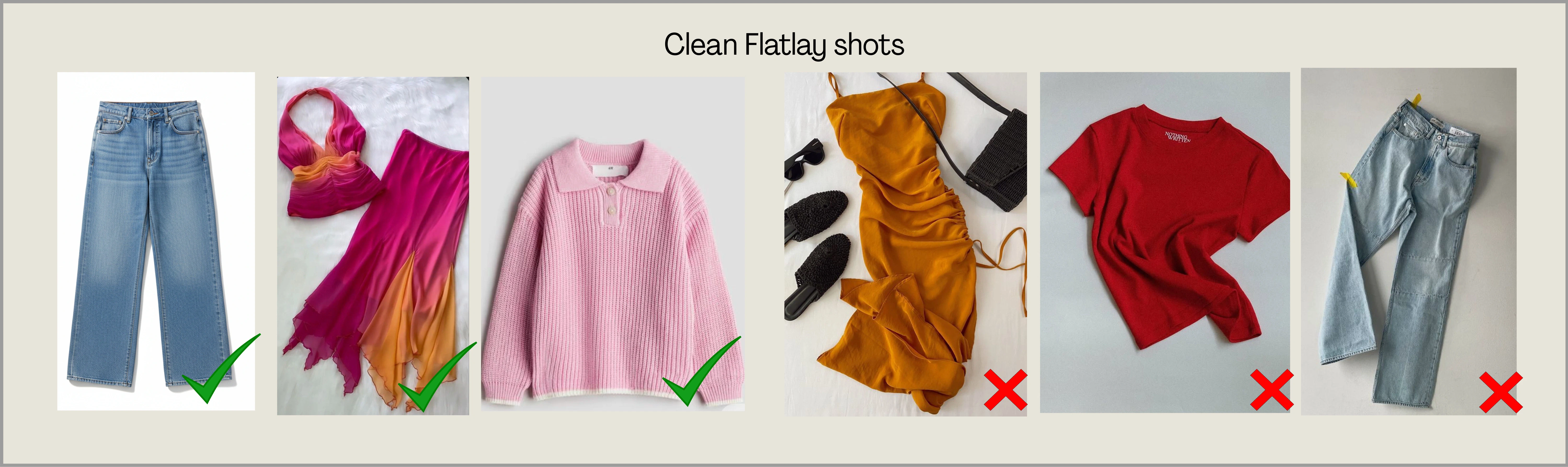
For best results, garments should be clean, ironed, and neatly arranged before photographing. Ayna supports Flat-lay, Mannequin images, and Model shots — explore the guidelines for each format below.Flat-Lay Shots
Flat-lay images are one of the best ways to upload garments on Ayna. Place the garment neatly on a flat surface so the full shape, structure, and details are clearly visible. A clean flat-lay helps Ayna detect the garment accurately and improves the final output quality.DOs and DON'Ts for Flat-Lay Shots
DOs and DON'Ts for Flat-Lay Shots
DOs
- Lay the garment flat, straight, and wrinkle-free
- Keep the full garment visible with a plain background
- Use good lighting and a clear image
- Don’t upload folded, crumpled, or twisted garments
- Don’t use cluttered backgrounds or dark lighting
- Don’t upload cropped or half-visible items
- Avoid uploading heavy ethnic-wear garments in this format
Hanger Shots
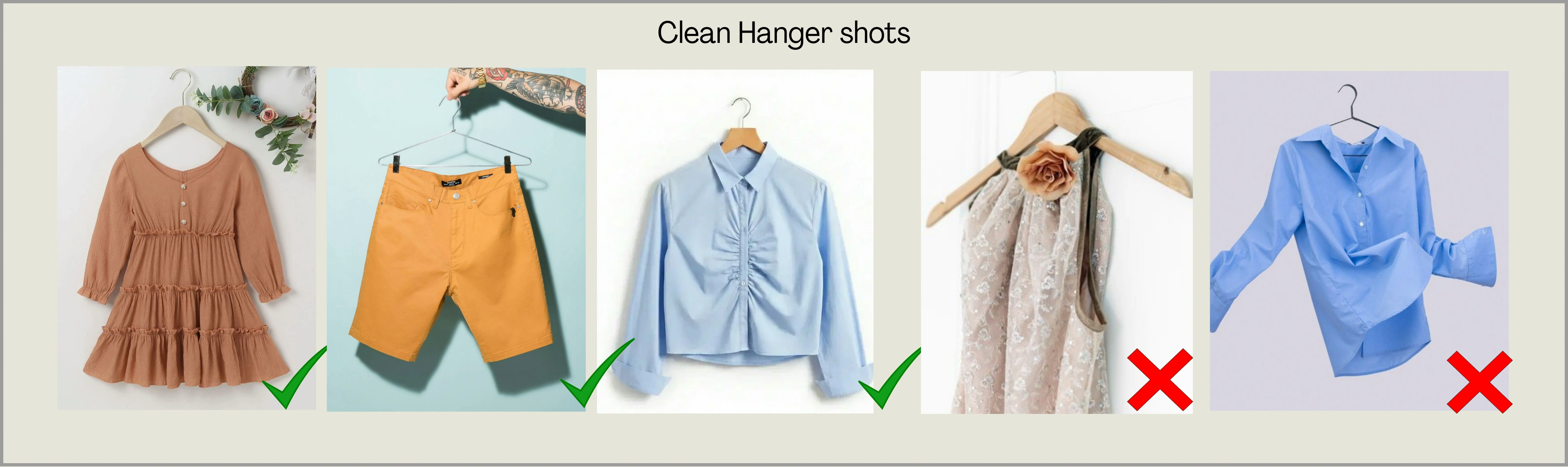
Hanger shots are also ideal for Ayna when the garment is hanging naturally and clearly shows its shape. The garment should be centered, properly aligned, and fully visible.DOs and DON'Ts for Hanger Shots
DOs and DON'Ts for Hanger Shots
DOs
- Hang the garment straight and centered
- Keep the garment fully visible with a clean background
- Upload sharp, well-lit images
- Don’t upload garments hanging unevenly or distorted
- Don’t upload images with missing parts (sleeves/hem cut off)
- Don’t use blurred, shadow-heavy, or low-quality photos
Model Shots
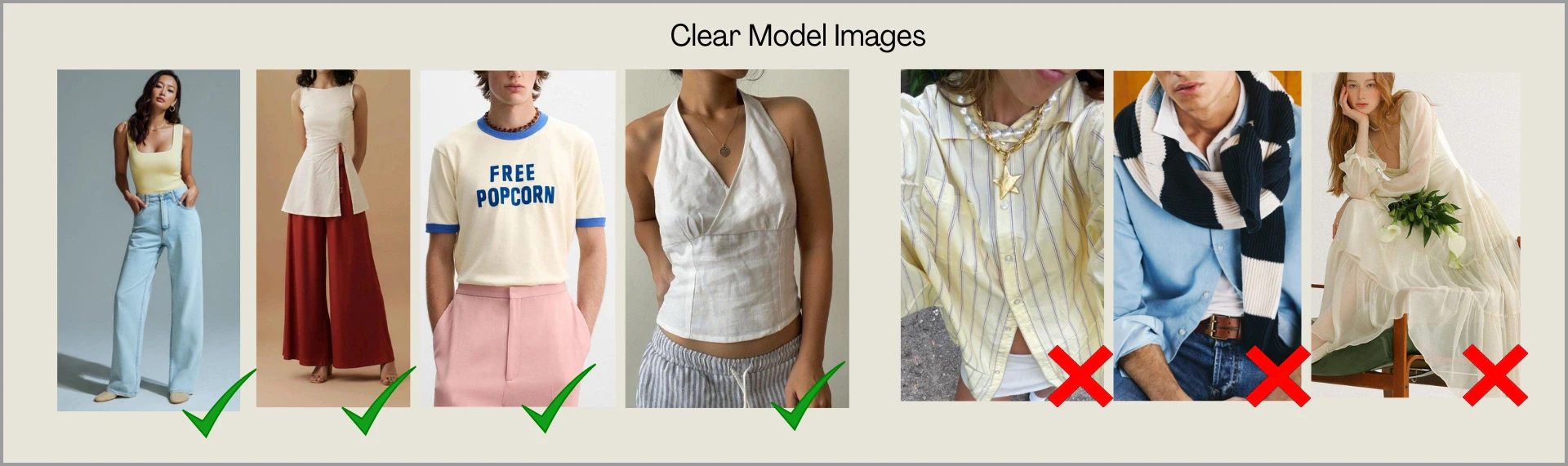
Model shots are recommended for garments that require drape, flow, and natural fit to be understood correctly. This includes outfits where the fabric falls in layers or where styling is an important part of the garment structure. Uploading a clear model image helps Ayna capture the silhouette, garment length, and overall look more accurately.DOs and DON'Ts for Model Shots
DOs and DON'Ts for Model Shots
DOs
- Upload full-body or 3/4 body images where the garment is clearly visible
- Ensure the garment drape and flow is visible (especially sarees, dupattas, long dresses)
- Use clean backgrounds and good lighting
- Keep poses natural so the garment is not hidden
- Avoid images where the garment is blocked by props or objects
- Don’t upload images with heavy distractions, busy walls, or clutter
- Avoid sitting poses or cropped frames where the garment length is not visible
Mannequin Shots
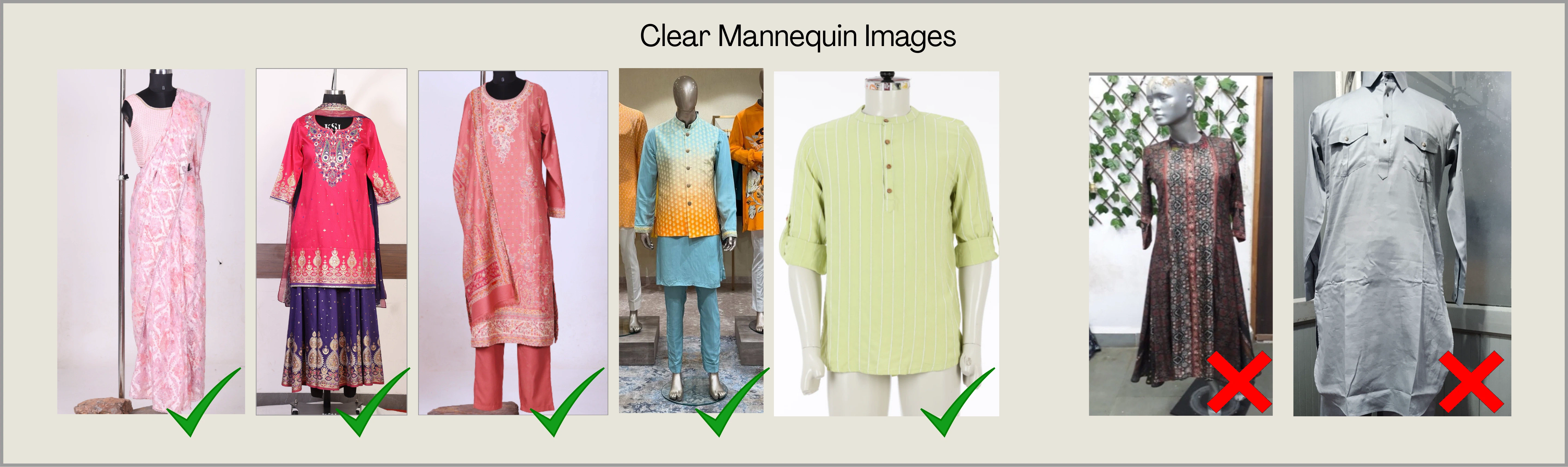
Mannequin shots are ideal when you want to show the garment in a structured way without a human model. They are highly recommended for outfits that need clear visibility of shape, layering, and fabric fall. Mannequins are best for garments like: Sarees, 3-piece suits (kurta set with dupatta), Lehenga sets, Dresses, Outfits with layers or heavy embroidery, etc.DOs and DON'Ts for Mannequin Shots
DOs and DON'Ts for Mannequin Shots
DOs
- Upload mannequin images where the garment is properly fitted and centered
- Make sure the full garment is visible from top to bottom
- Keep the exact drape, fabric flow that you want to achieve (especially dupattas and drapes)
- Use a plain background and good lighting
- Avoid mannequin images where the garment is incomplete or not properly arranged
- Don’t upload images where the garment is folded, hanging unevenly, or messy
- Avoid cluttered backgrounds and poor lighting
Views Required
Different types of garment views can be uploaded on Ayna, such as front, back, side, detailed shots, or any other available angle. Upload clear images of each view. For example: Adding front and back views of the garment ensures accurate results in front and back poses. Ayna automatically detects and labels each uploaded view. If a view is incorrectly identified, you can modify it using the Custom View option.Front Views
The front view is required to capture the garment’s main design, neckline, front pattern, and overall shape. It helps Ayna understand the primary silhouette and key styling elements visible from the front. We have Left Front and Right Front views as well, these views are automatically tagged, and can be used to generate 45 degree angle images easily.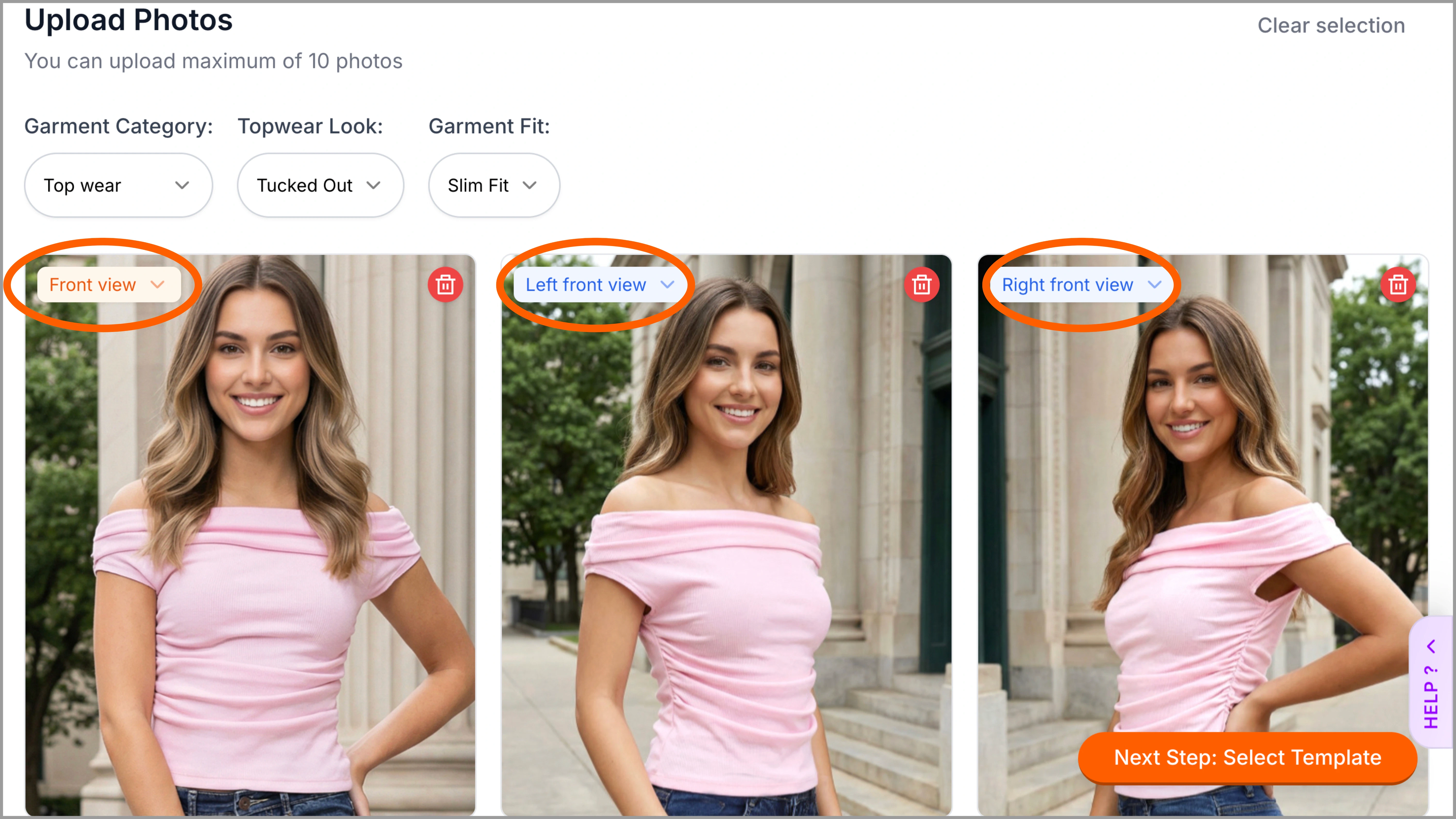
Side Views
The side view helps Ayna understand sleeve structure, and all other kinds of side details. It is useful for heavy prints and details, utility clothing, embroidered fits and more.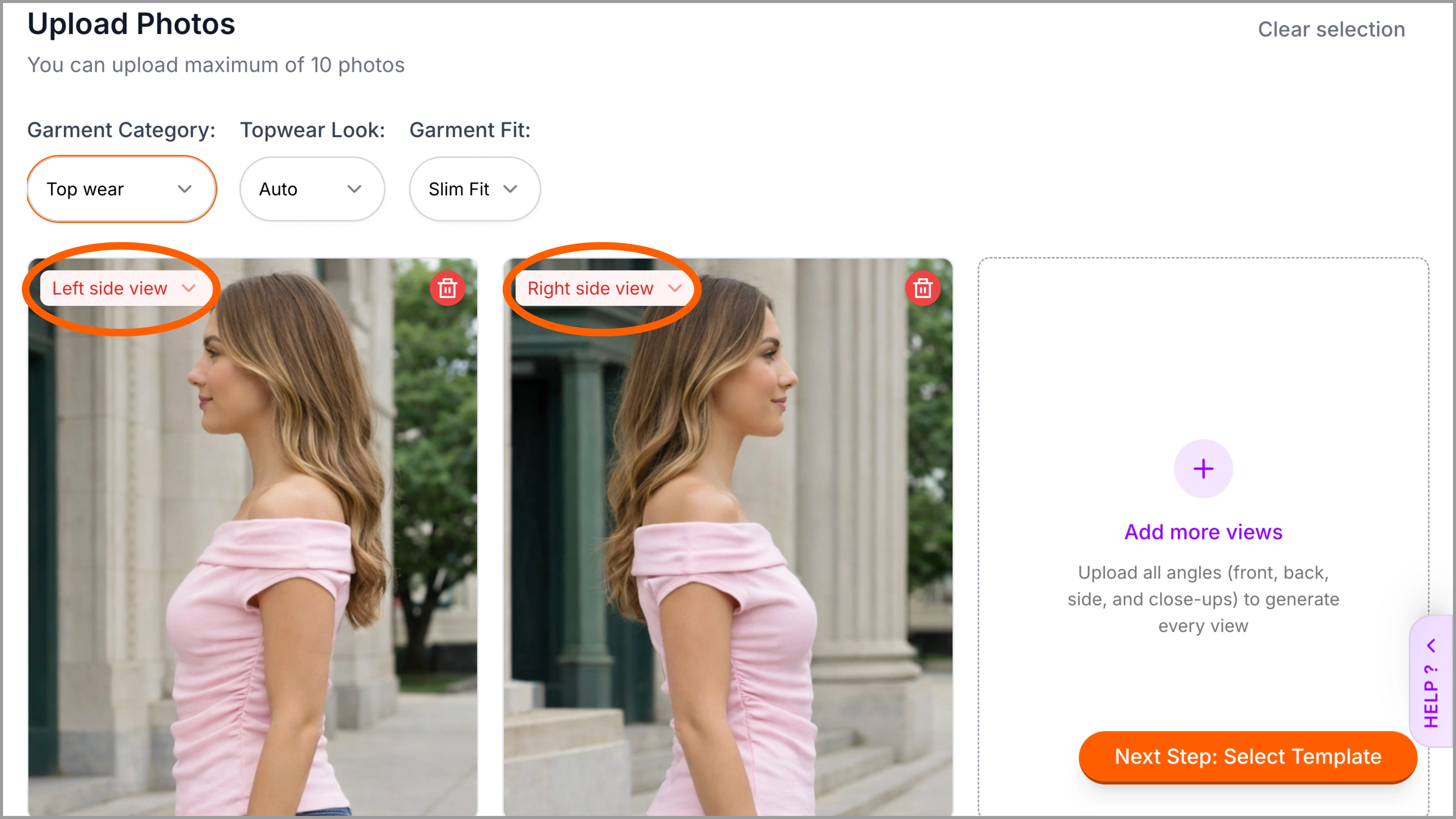
Back View
The back view is important to capture details like cuts, seams, collars, closures, and prints that may differ from the front. Uploading it ensures better accuracy and avoids incorrect results.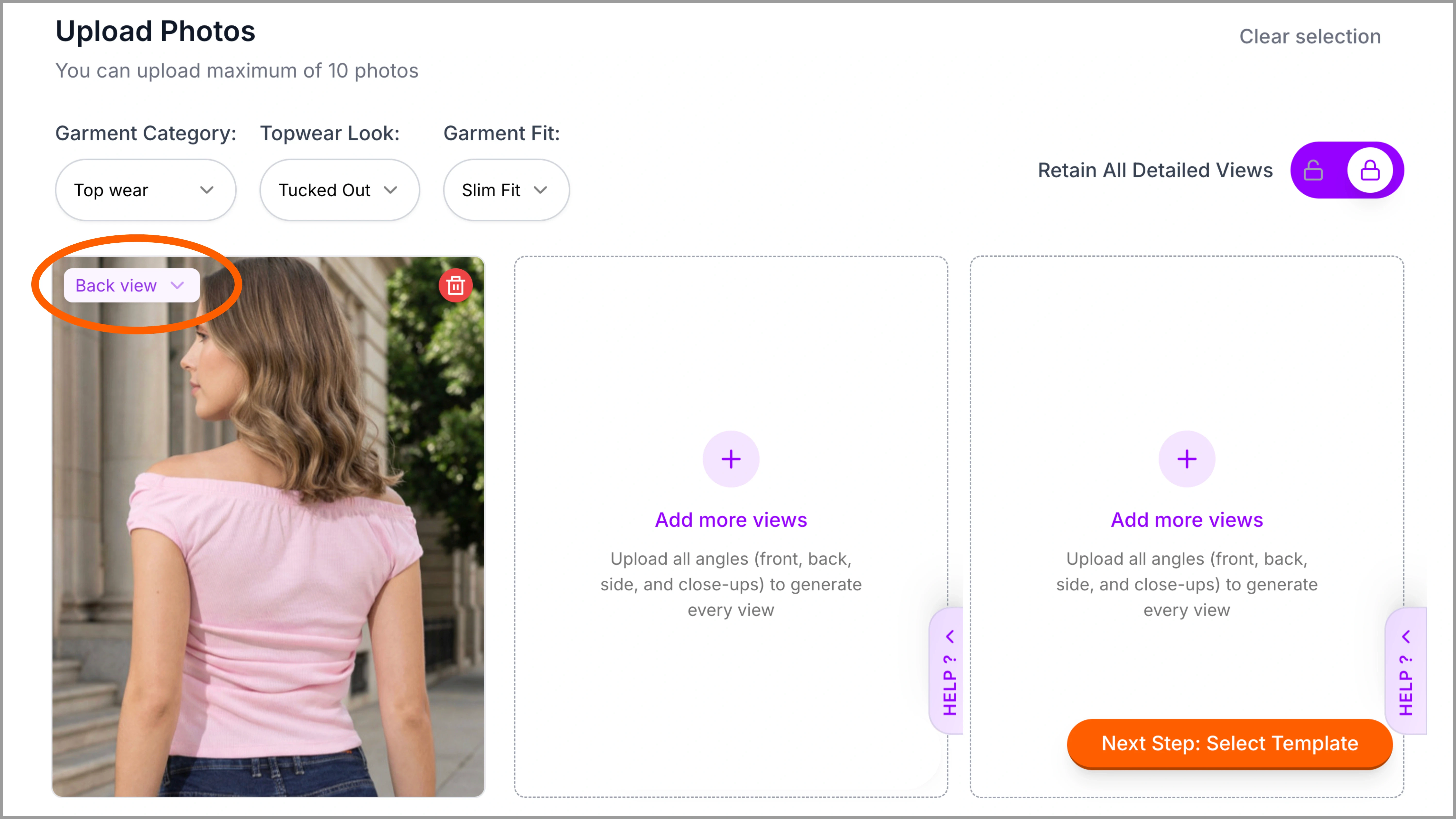
Detailed View
Upload a clear, high-resolution close-up of the garment’s details and label it as Detailed View on Ayna. Lock the image before proceeding further. The Detailed View will not get AI generated on Ayna; the same uploaded image will be included or retained in the final photoshoot output without using additional credits. This ensures all views, including detailed shots, are delivered together in a single folder for streamlined download and export to websites.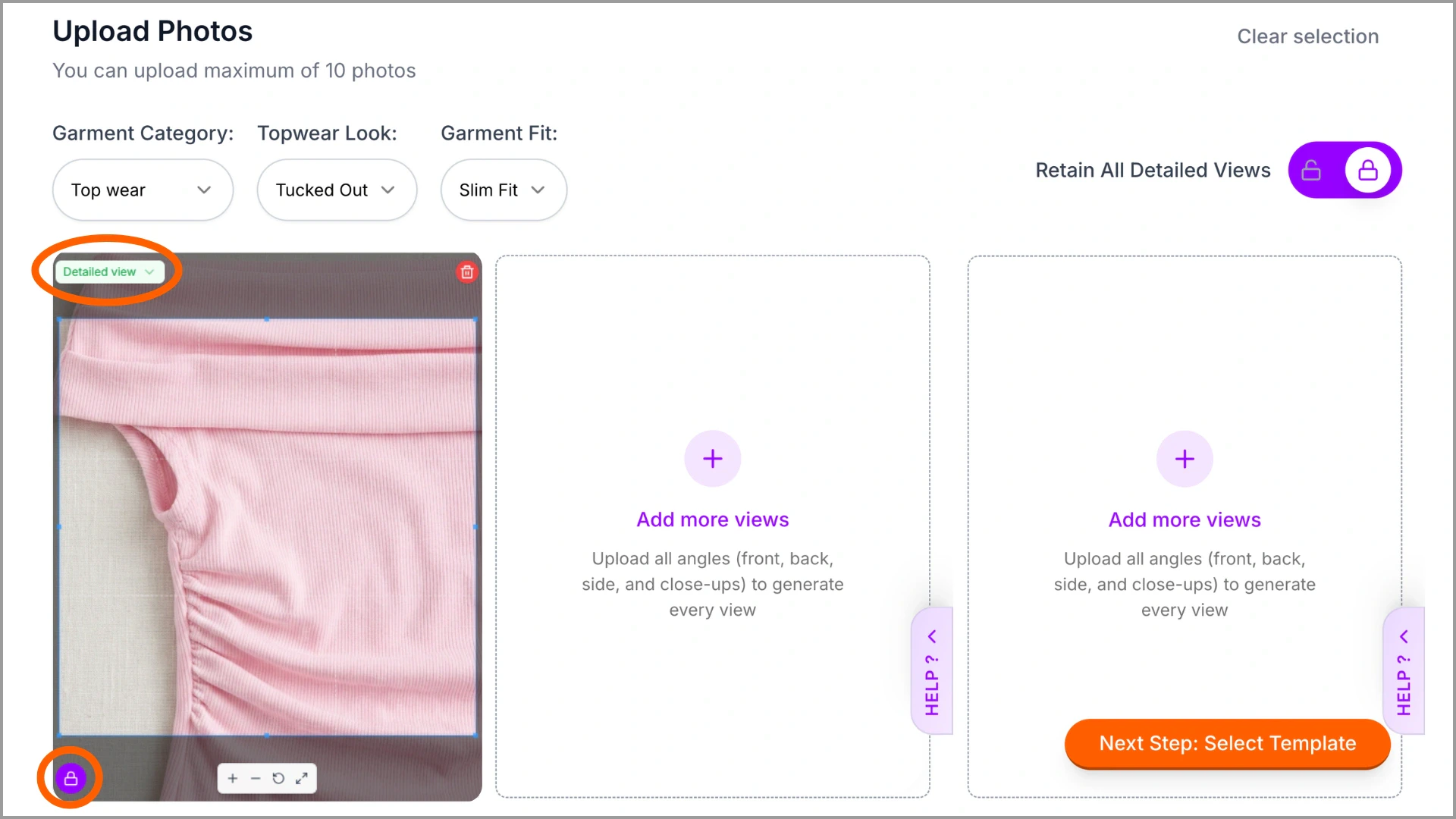
Common Styling Mistakes
To get the best results on Ayna, your garment images must clearly show the product’s shape, structure, and details. Styling mistakes like folds, overlapping parts, wrong angles, or busy backgrounds make it difficult for Ayna to detect the garment correctly. These issues often lead to inaccurate silhouettes, missing details, or distorted outputs. Some of the common styling mistakes to avoid are: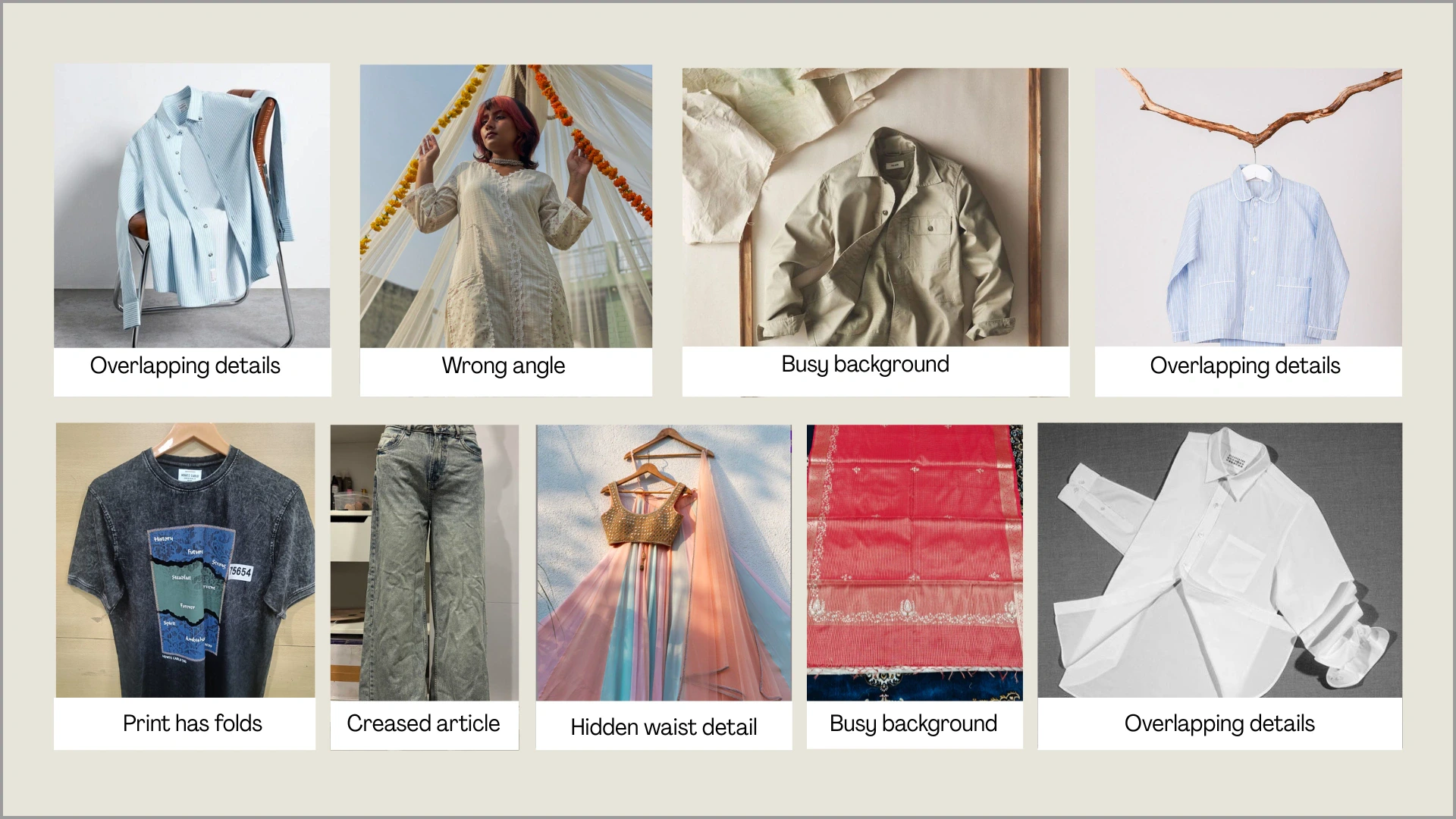
- Wrong Angle: Avoid tilted or dramatic angles. Straight, centered shots maintain correct proportions and structure.
- Busy Background: Avoid cluttered backgrounds. A clean, plain backdrop keeps the garment clear and well-defined.
- Folded or Broken Prints: Wrinkled or folded printed fabrics can distort patterns and misplace design elements.
- Creased / Wrinkled Garments: Heavy creases hide structure and affect overall garment clarity. Smooth, ironed garments work best.
- Hidden Waist Detail: Covered waistlines (by hands, drapes, or folds) affect length and fit accuracy.
- Multiple Garments in One Frame: Avoid overlapping garments in a single image. Upload one clear garment per frame.
Examples That Affect Output Quality
Below are common issues and how they impact Ayna’s output: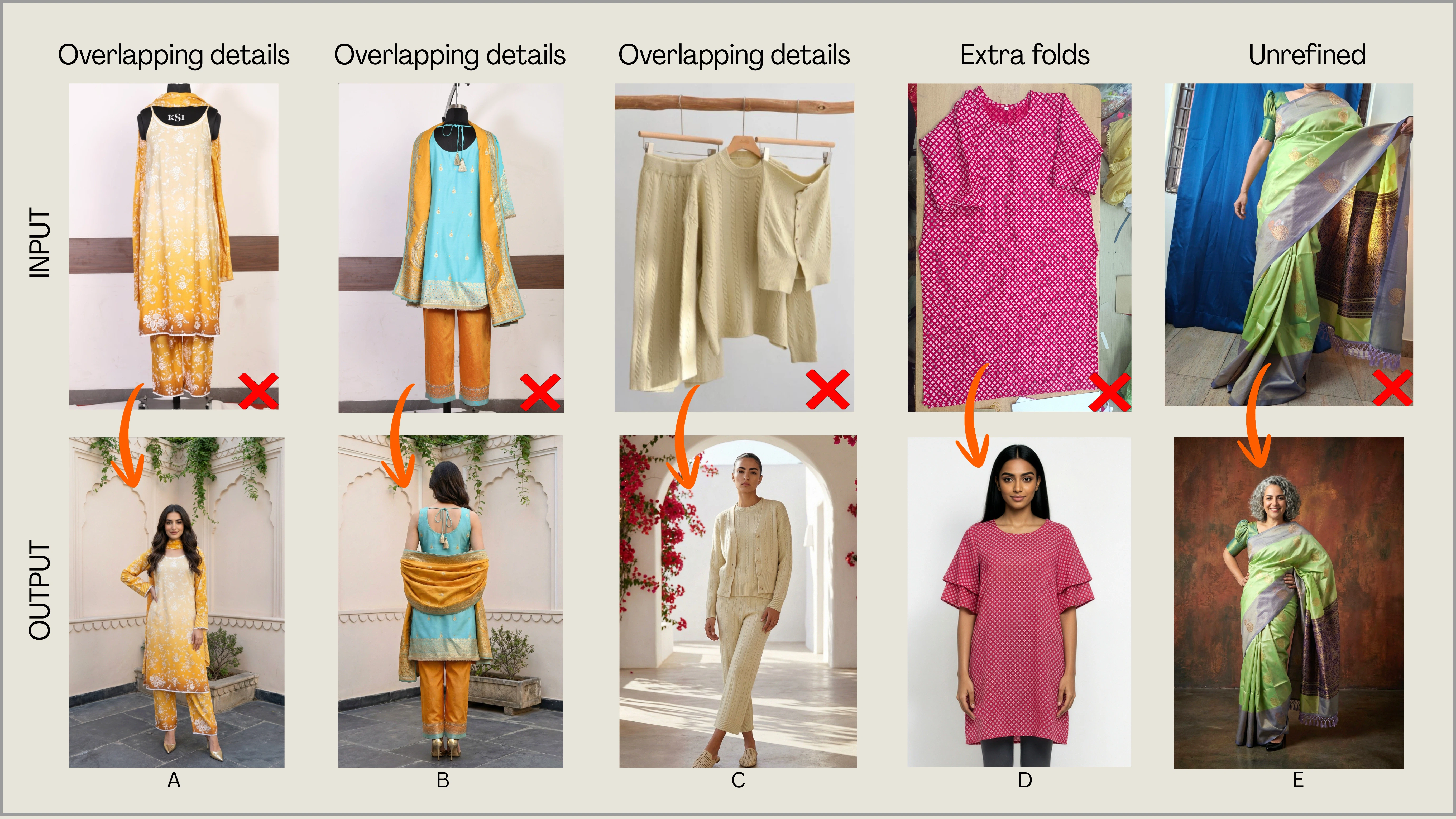
Images That Need Special Care
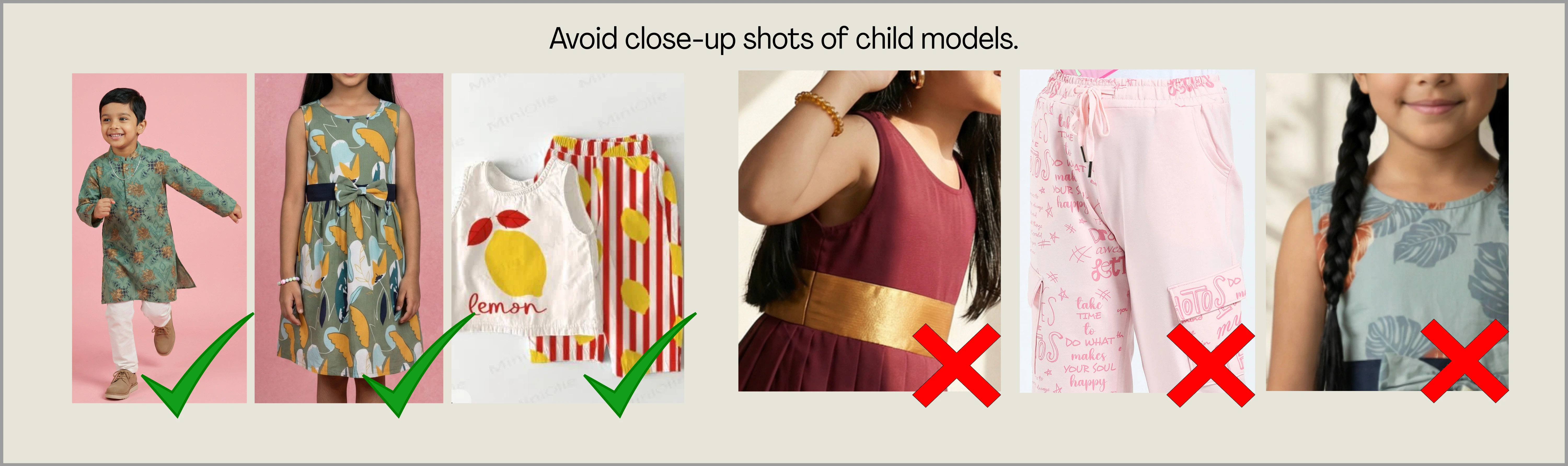
Certain garment types and image formats require extra attention to ensure smooth processing and accurate results. Images with transparent fabrics, sensitive body areas, or close-up framing of children may need to be uploaded differently. These garments are fully supported on Ayna — they just need to be photographed in the right format (mannequin, flat-lay, or properly styled model shots). Here are the key categories to keep in mind:Sheer / Transparent Garments (Net, Mesh, Organza, Lace)
Sheer garments can be difficult to detect accurately because the garment boundaries are unclear, and may get flagged by AI safety filters. Recommended: Upload these as a mannequin shot or full model shot with their respective inners or undergarment.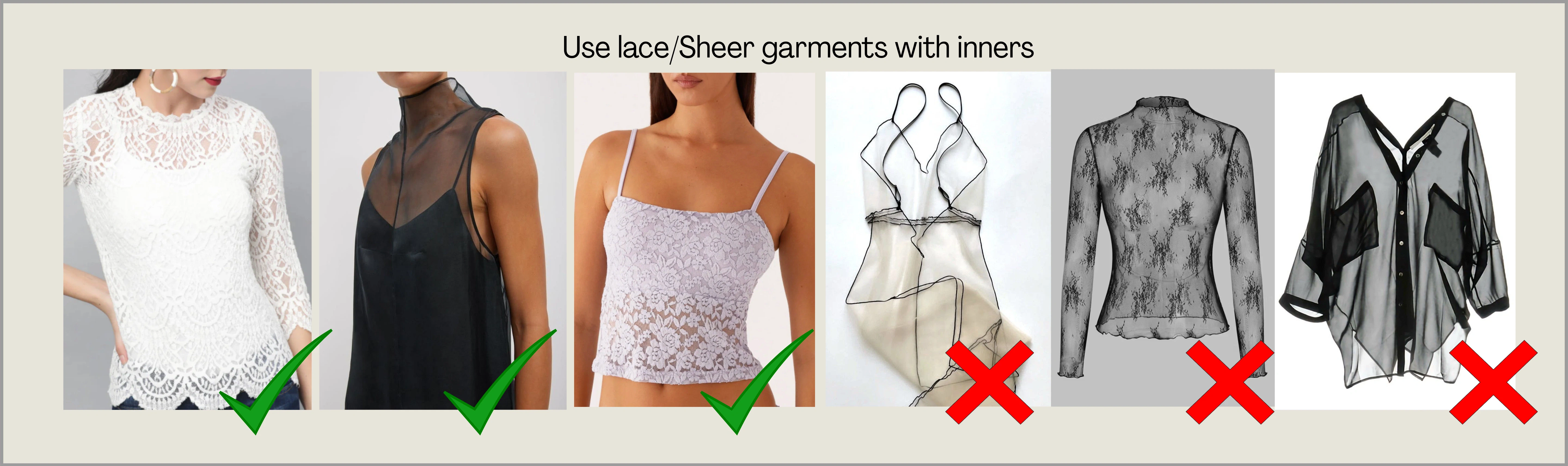
Lingerie, Undergarments & Bikini Sets
Lingerie or bikini images on real models may be flagged as sensitive content and generation will not proceed. Recommended: Upload these on a mannequin or as a flat-lay for accurate results. Structured one-piece garments can be put on hangers as well.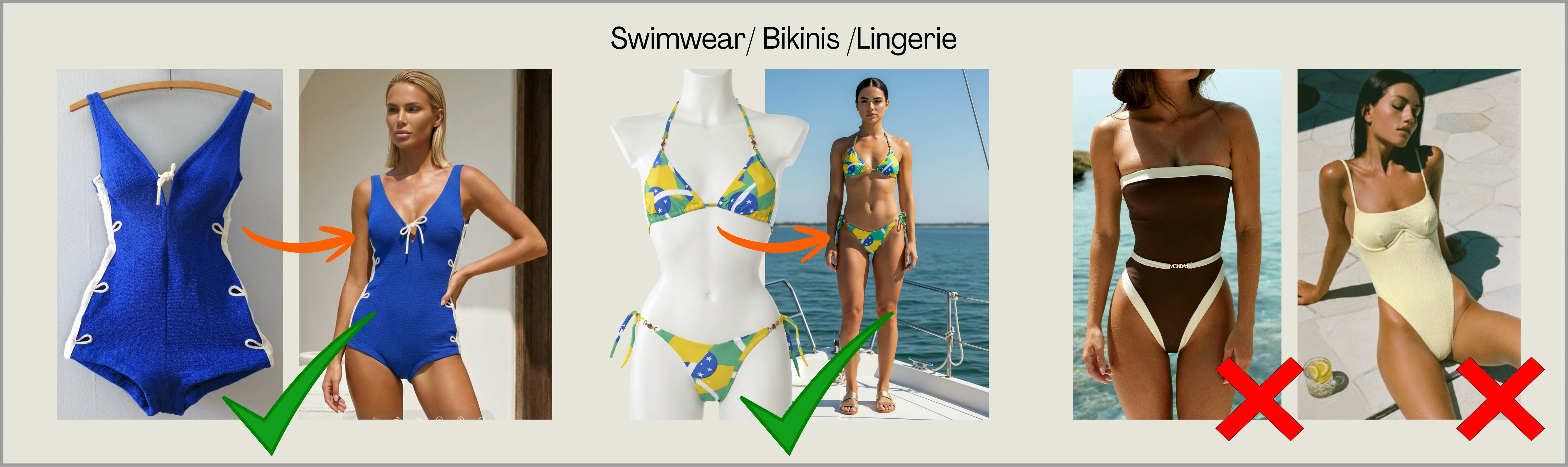
Kids Garments Close-Ups
Close-up frames may be flagged by AI safety systems and can interrupt processing. Always use mid-length or full-length shots that clearly show the garment. Recommended: Upload the garment separately on a mannequin, flat-lay, or as a full garment shot.