

Image Refinement
For a detailed walkthrough of image refinement, see: Refine ImageMarketplace Variations
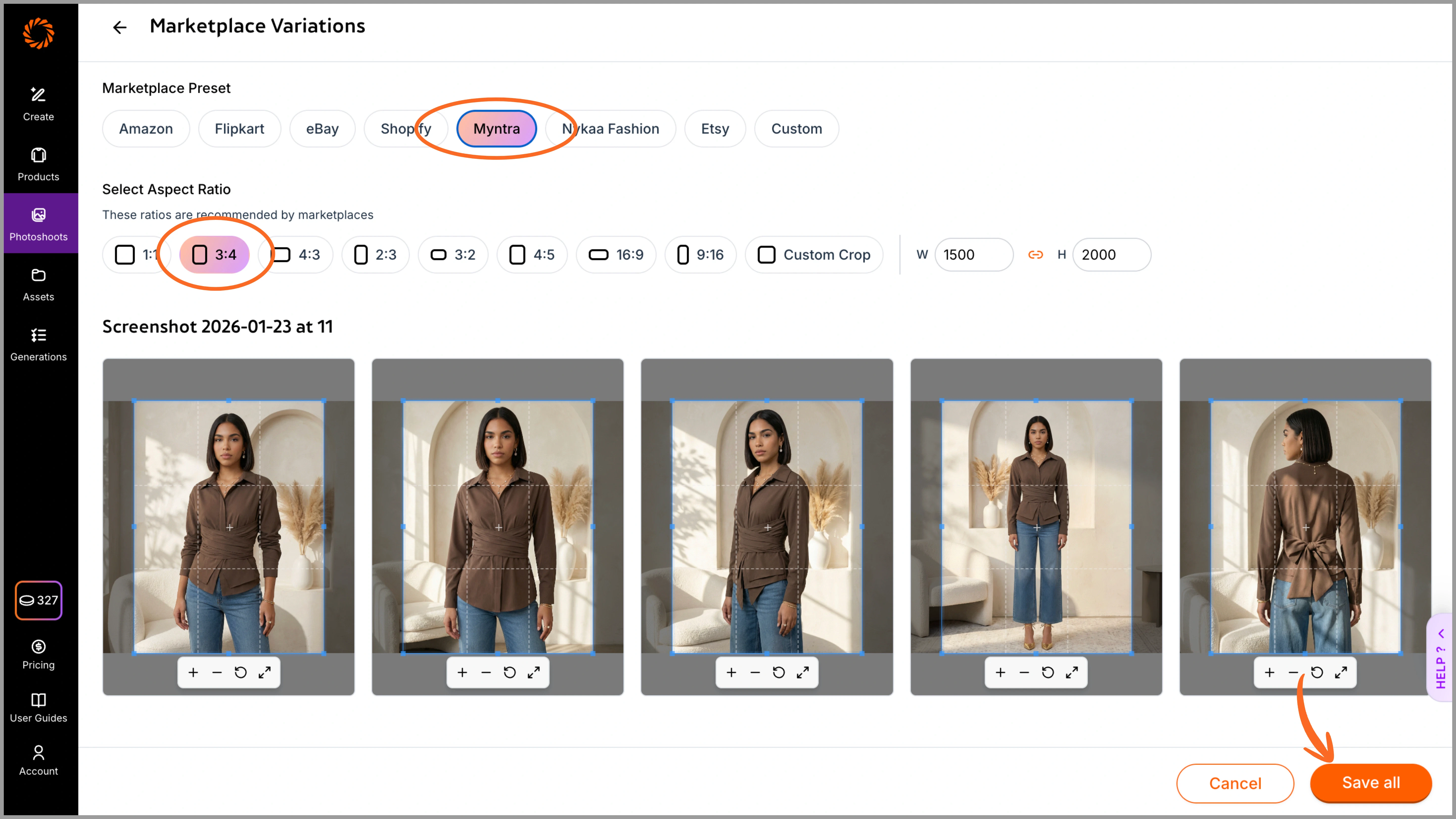
Once your photoshoot is generated in a custom size, you can instantly create marketplace-specific variations such as Myntra, Nykaa Fashion, Flipkart, and more. Select the desired marketplace to crop your images in the exact ratio supported by them and save changes. All variations can be viewed under the ‘photoshoot’ section. This eliminates the need for manual resizing or cropping. All marketplace versions are automatically saved under the same photoshoot, and you can select and download them together in a single folder. To use this feature seamlessly, we recommend creating your initial images in the Amazon (1:1) ratio so that images can easily be cropped without missing out on any details.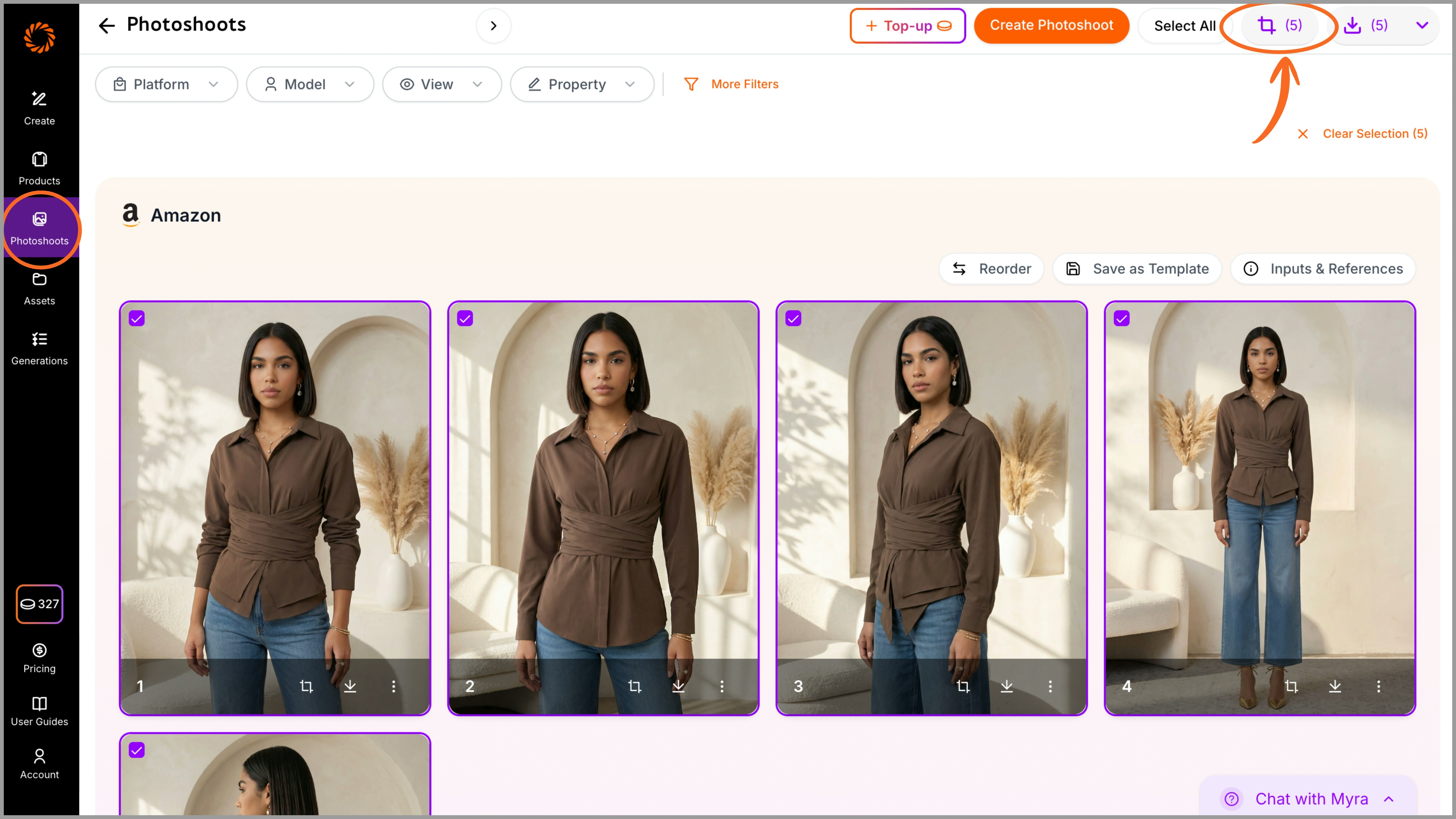
Reordering of Images
After your images are generated, you can rearrange them directly within the Photoshoot section. Simply drag and reposition the images to set your preferred sequence. For example, front view first, followed by side views, detail shots, and back view. This ensures your images are saved and downloaded in the correct order, eliminating the need for manual rearrangement later.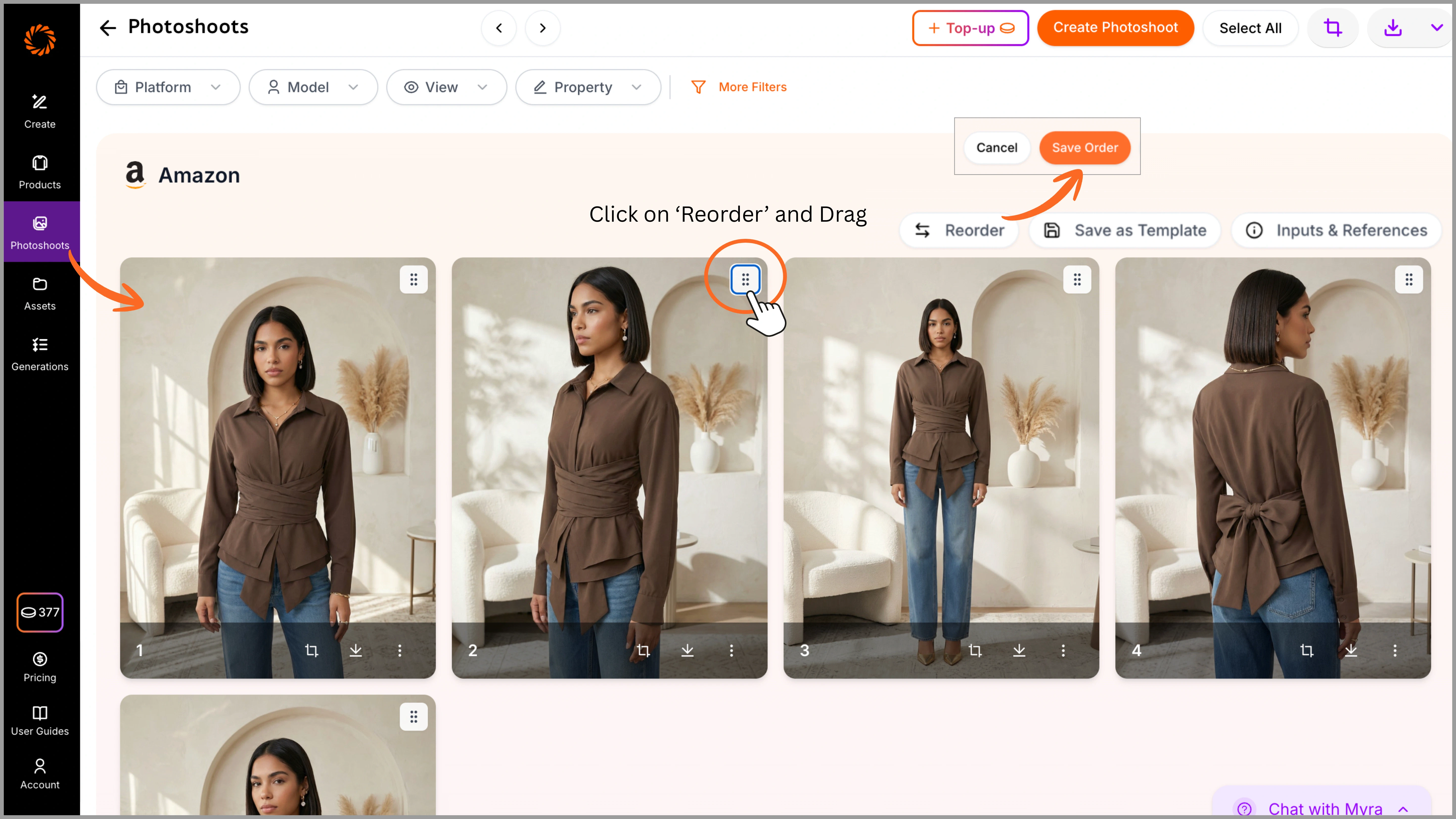
Naming and Foldering
You can name your folders or images before uploading them to Ayna, or upload them directly and rename them later from the ‘Product’ tab. The photoshoot name will reflect the same folder name, and when you download the images, they will be saved using that name for easy identification.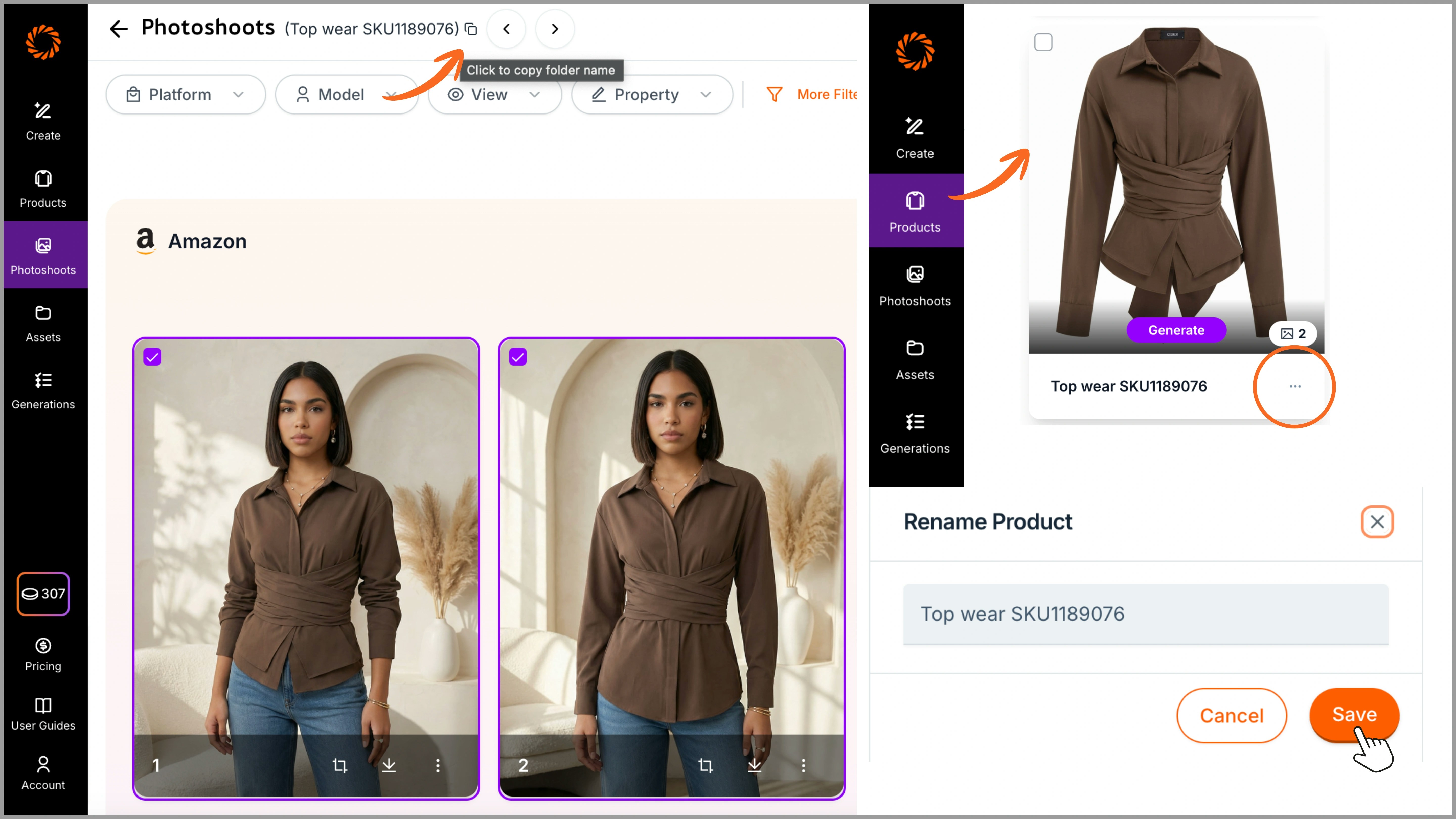
Downloading
To download your images, select the desired marketplace platform from the Platform option. All generated marketplace variations (such as Amazon, Myntra, etc.) will be displayed. Select your images, and download them in PNG or JPG format. The images will be saved in a folder with the same photoshoot name for easy organization.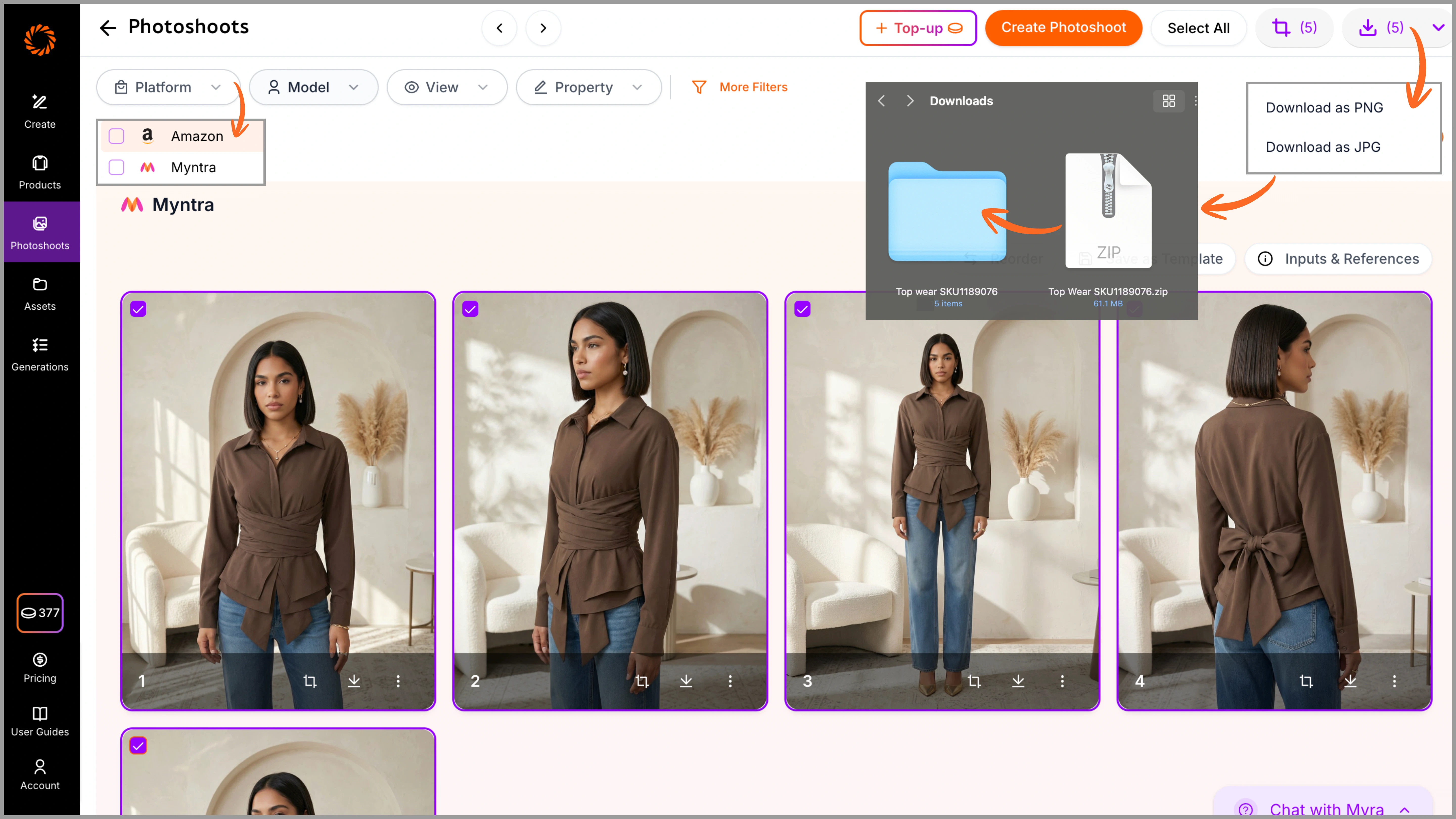
That’s it! Follow these guidelines to get the best output possible. If you have any doubts, feel free to contact us at studio.support@getayna.com or book a demo with us.