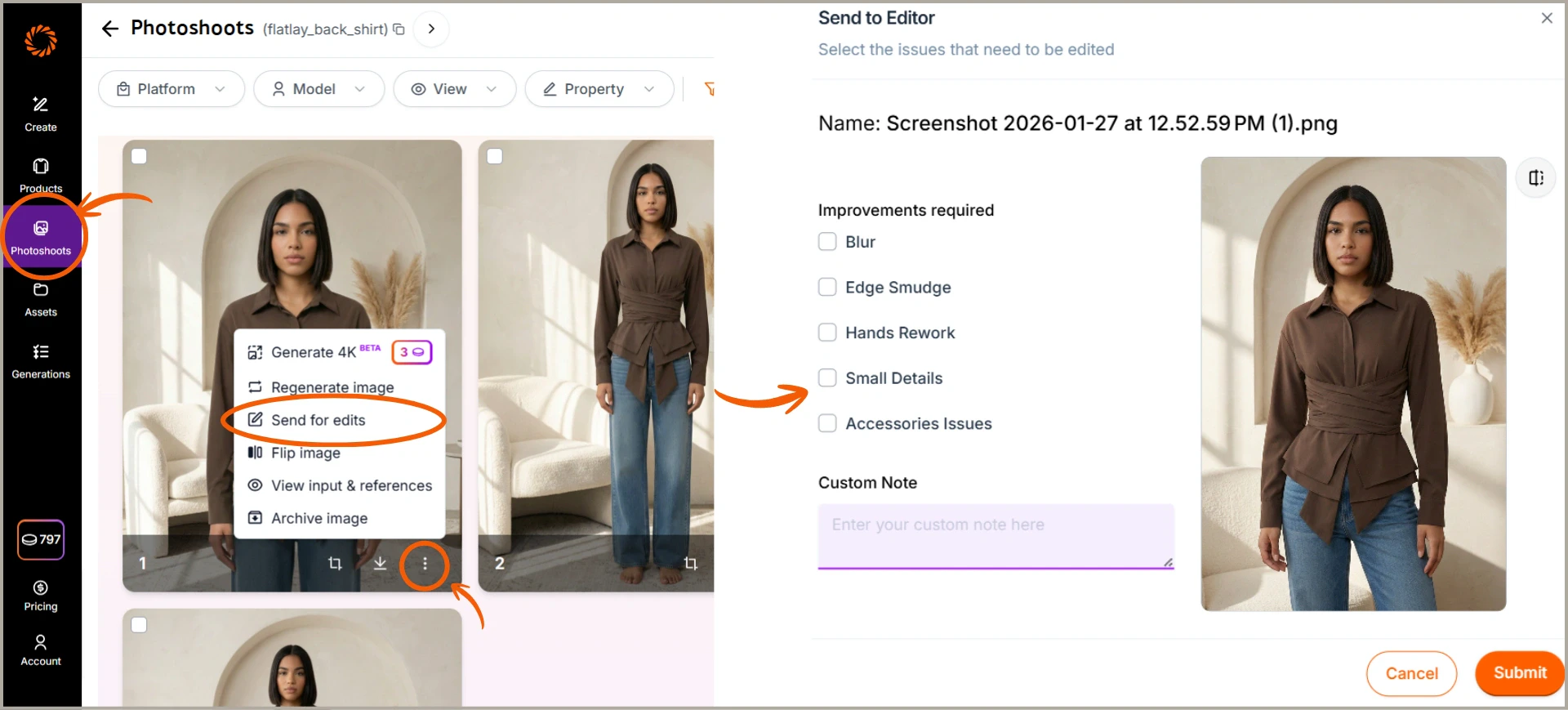
If you are not satisfied with your generated image, you have two refinement options available. You can regenerate the image to instantly create a fresh version, or request an edit by sharing your feedback with our team, who will make the adjustments and deliver the updated image within your plan’s turnaround time. These options let you refine results without starting over, helping you achieve the best outcome faster. Both regeneration and assisted edits are included in your plan and do not consume any additional credits. The number of regenerations available depends on your plan, with at least one regeneration provided per image. Follow these steps to refine a generated image in just a few clicks.

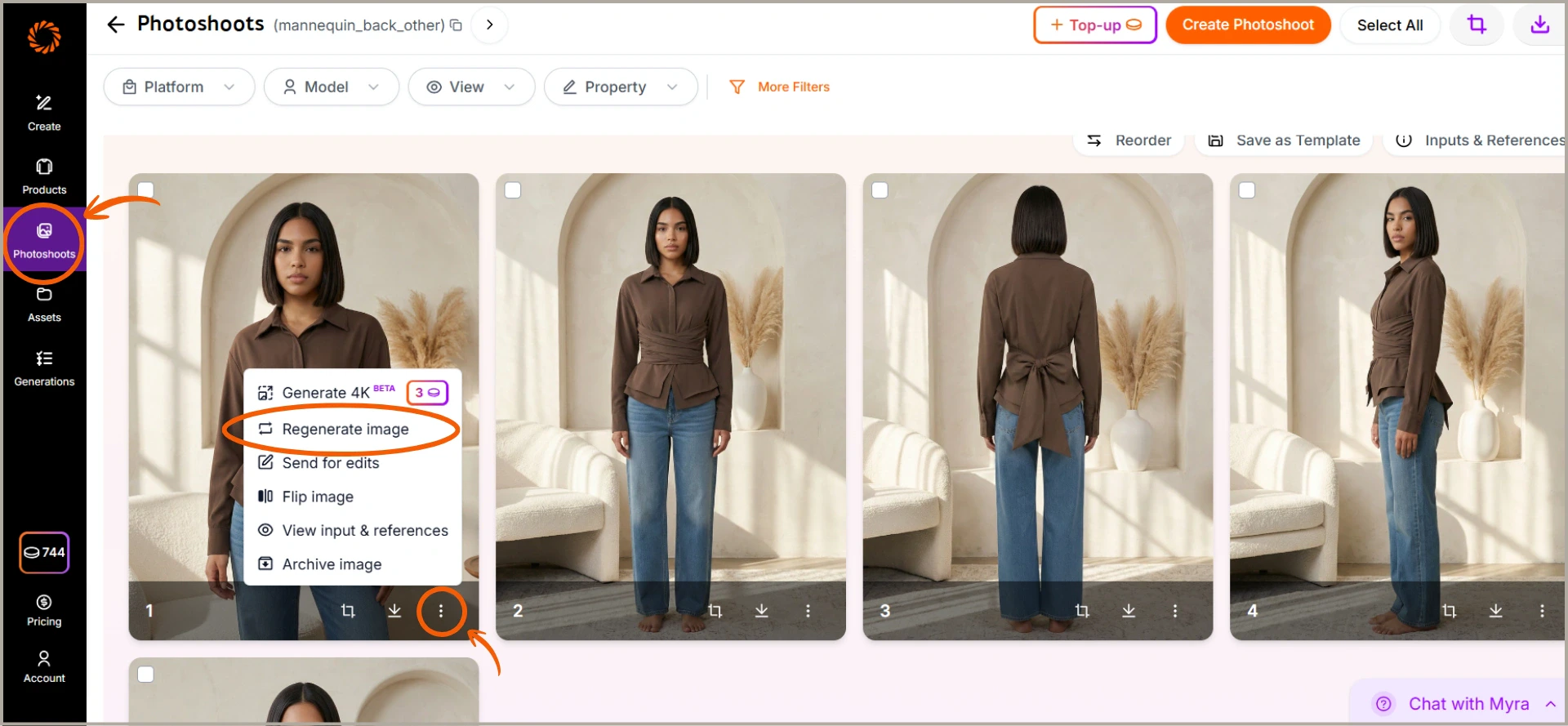
Method 1: To Regenerate Image

Click on the three-dot menu on any generated image, select Regenerate Image to instantly generate a new version. Regenerate image
Method 2: To Send Images for Editing

Open the photoshoot folder, select the image you want to edit, click the three dots, choose Send for edits, select the required edit options (Blur, Edge smudge, Hands rework, Small details, Accessories issues, etc.), add any specific instructions in Custom Note if needed, and click Submit. Send for edits