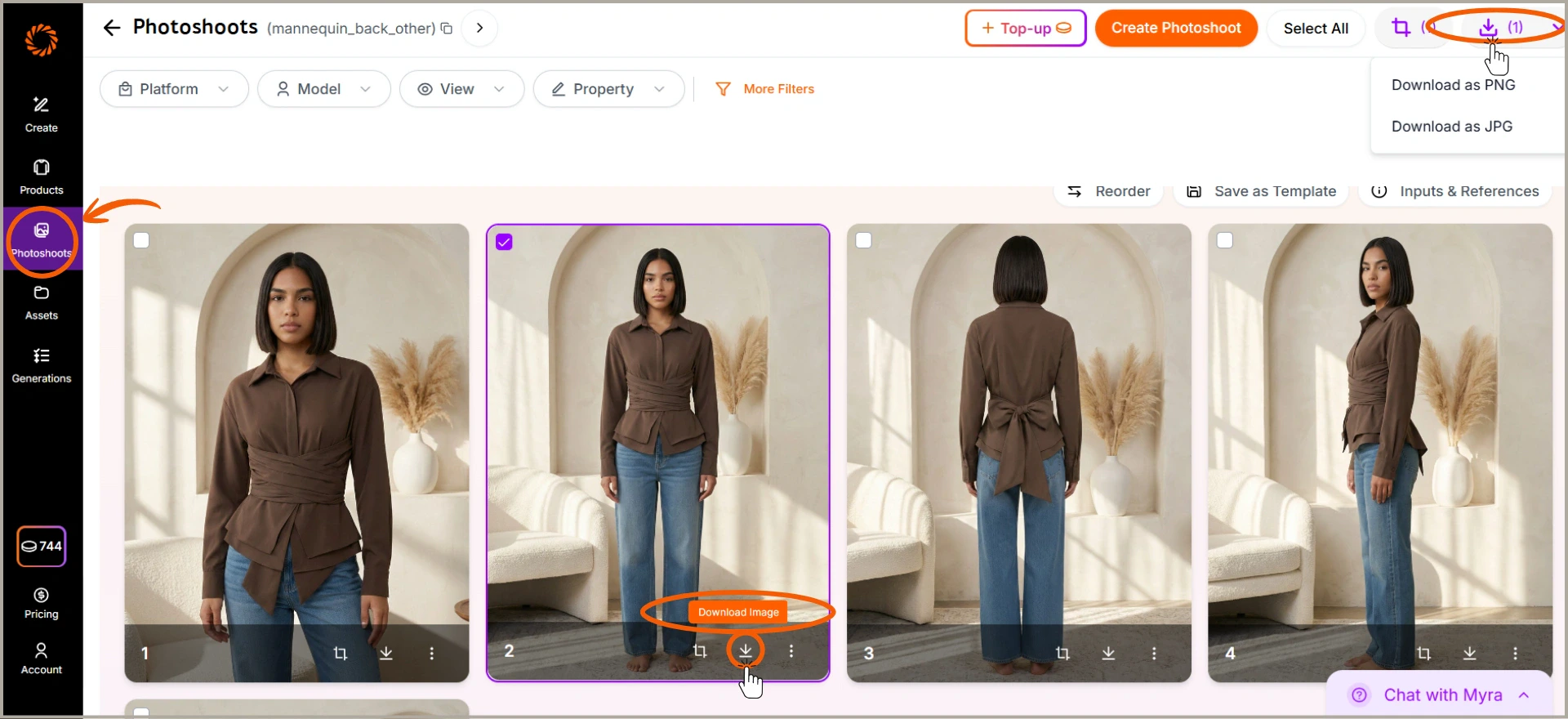
Downloading your generated images allows you to quickly export your final photoshoot results and use them wherever you need. This makes it easy to save images in your preferred format (PNG or JPG), and you can download either individual images or select multiple images at once to bulk download, saving time when working with larger photoshoots. Follow these steps to download your images in just a few clicks.

Step 1: Select images to download

Select one or more generated images by clicking on them.

Step 2: Click Download

Click the Download icon at the top-right to download selected images in bulk, or use the download icon on an individual image to download it separately.

Step 3: Choose format and save

Choose your preferred format (PNG or JPG), and the images will be saved to your device instantly. Download images